Where can I view Ecommerce platform fee invoices and statements?
The Ecommerce Sell plan includes a 3% platform fee of the gross amount of each payment made by your customers via a payment processor integrated into your store. That’s separate from the credit card or other fees charged by the payment processor.
To view the platform fee invoices and statements, follow these steps:
- Navigate your Client Area > Billing > Payment History.
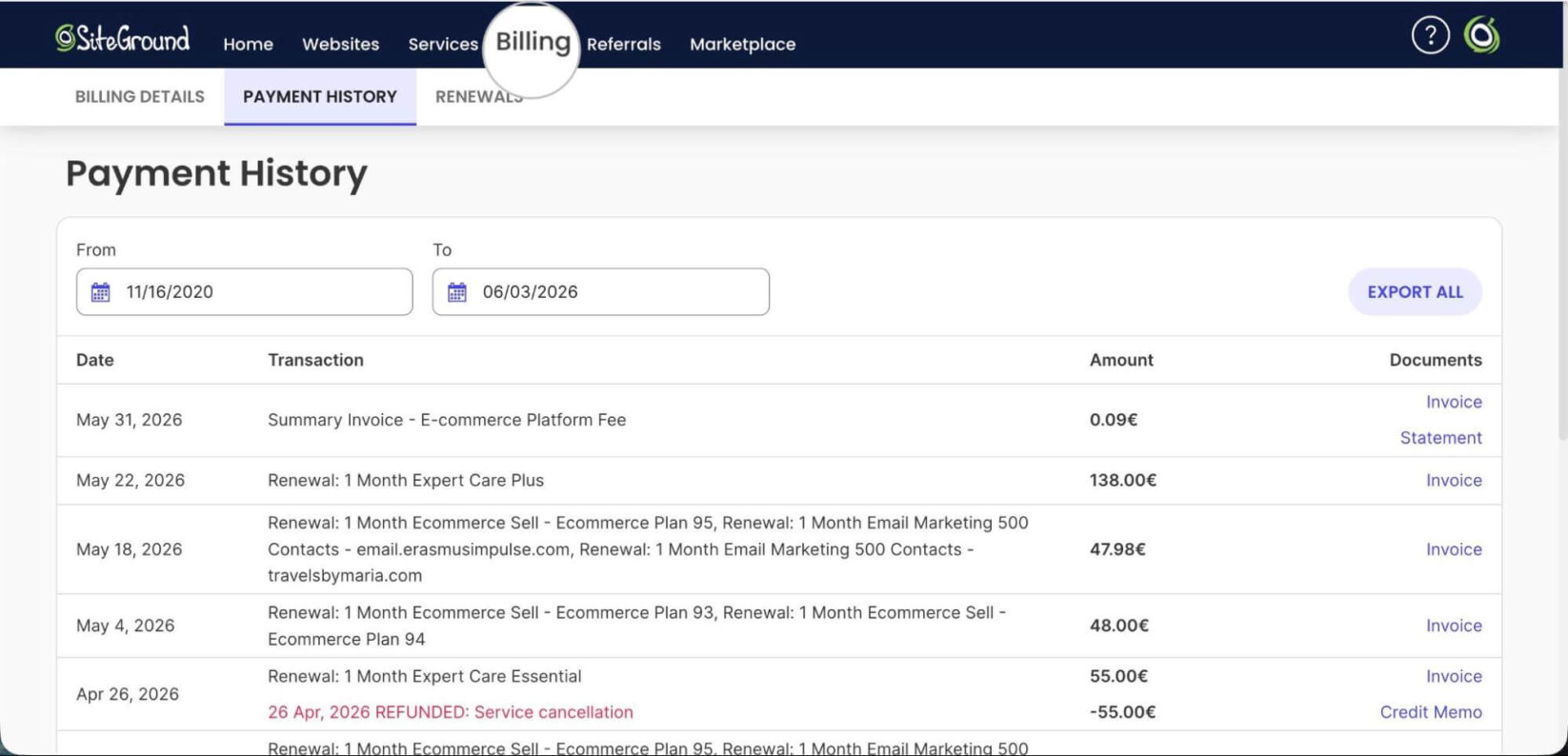
- Look for a payment with the Transaction name “Summary Invoice – E-commerce Platform Fee”.
- To view the invoice for the selected platform fee, press the Invoice button in the Documents column to download a PDF to your device.
- To view the platform fee statement, press the Statement button in the Documents column; a PDF will be downloaded to your device.
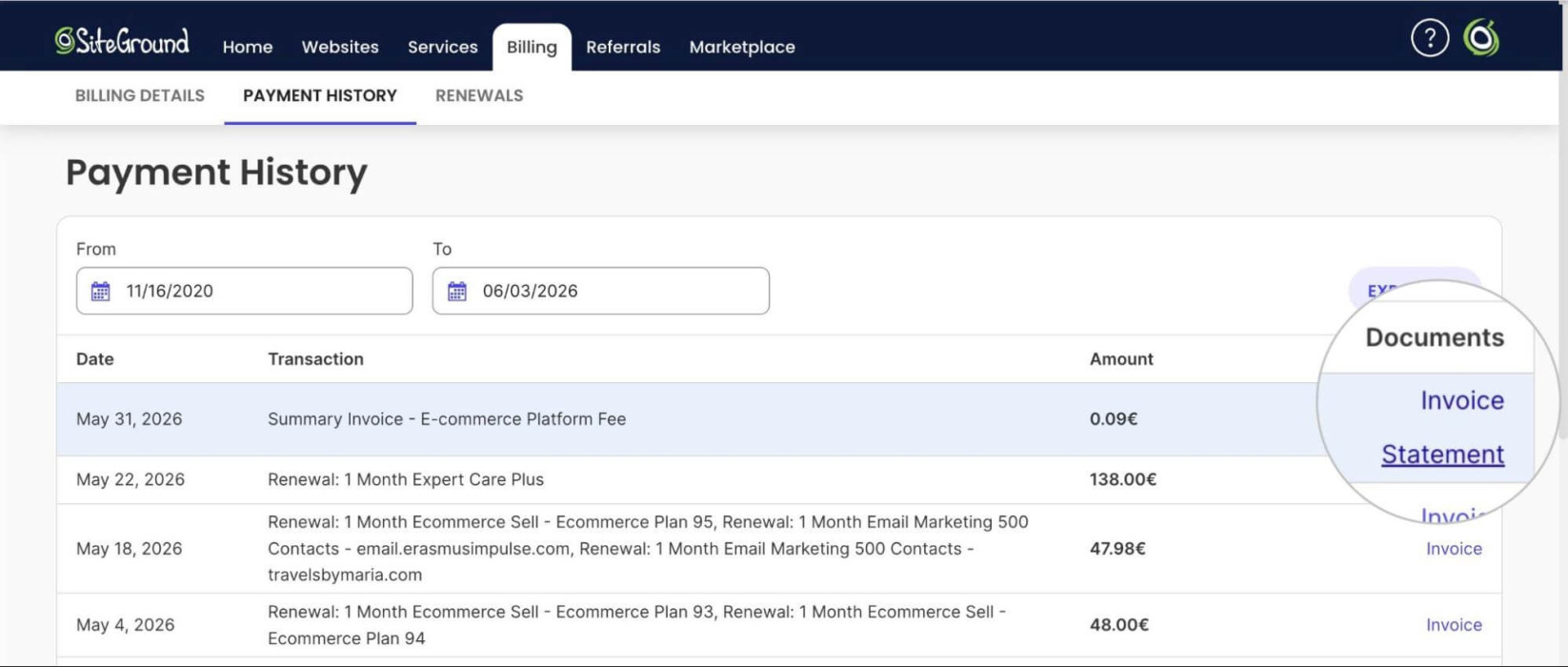
Once the file is downloaded, you can use any PDF reader application to open it and view the information.
