How to Upgrade My Coderick AI Plan
SiteGround offers multiple Coderick AI plans with different resources and live project slots. If you deem your current plan insufficient, you can upgrade it instantly at any time.
You can upgrade Coderick AI from its Settings page. Go to your Client Area > Services > Coderick AI. Press the Settings button of the chosen plan.

Open the Actions menu and press Upgrade.

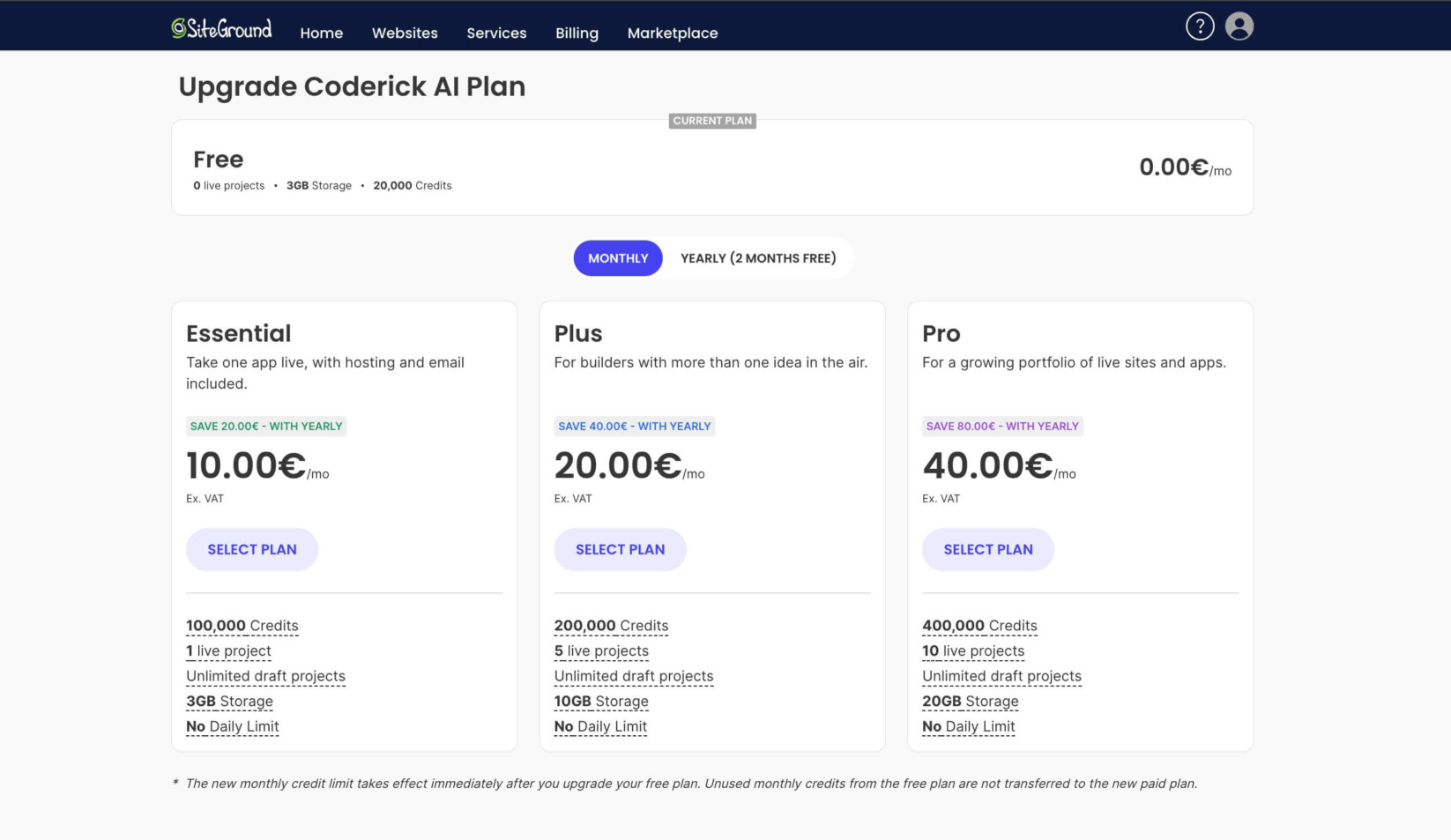
You will be redirected to a comparison page that showcases the specifics of up to three higher plans than your current one. Press the Select button for the chosen new plan.