How to set the default chat model in SiteGround AI Studio
You can choose which AI model you want to use by default for all new chats in SiteGround AI Studio. To do this:
- Open SiteGround AI Studio – Start a new chat or open an existing one.
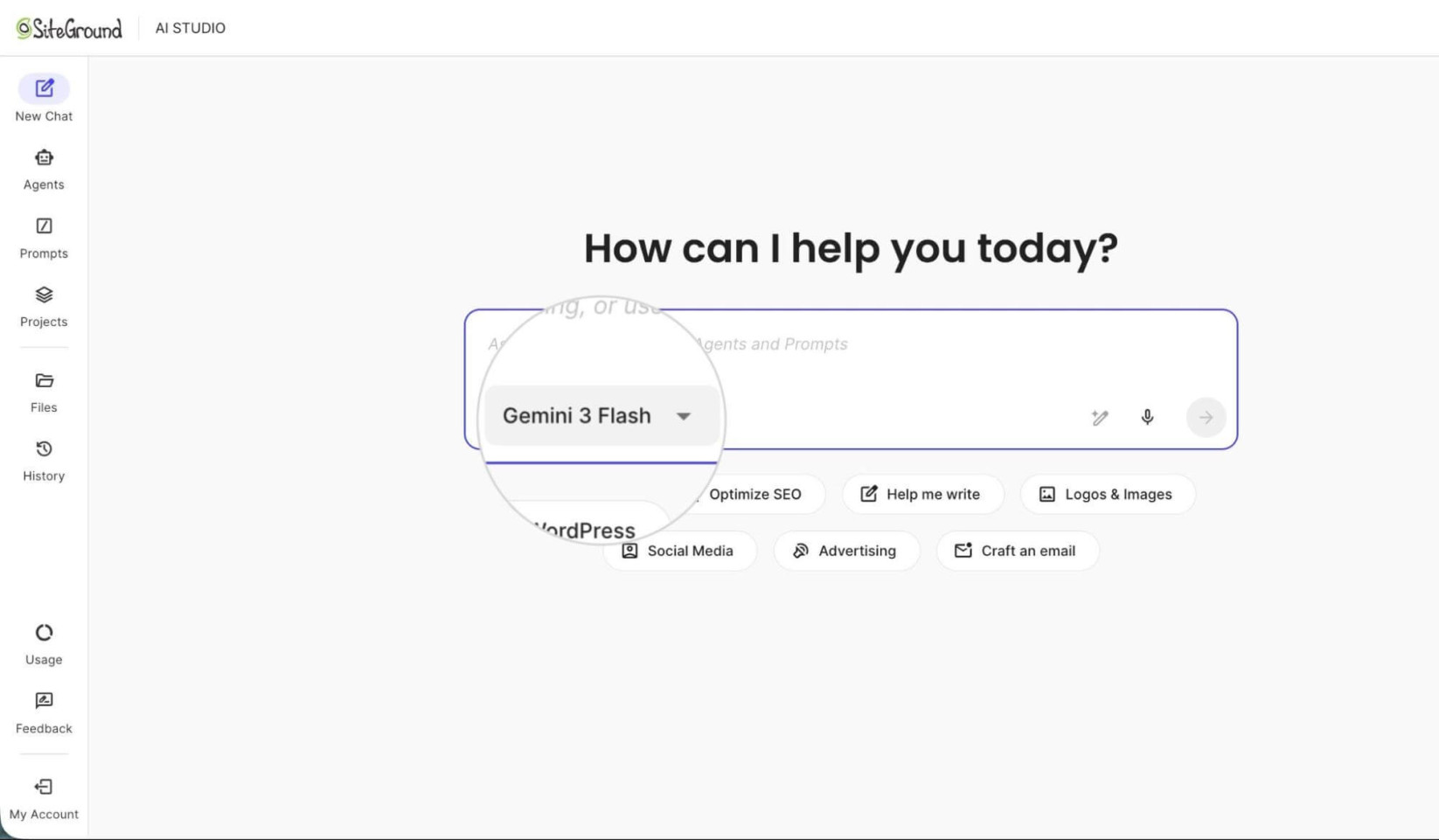
- Click on the AI model drop-down menu to open the list of available LLMs.
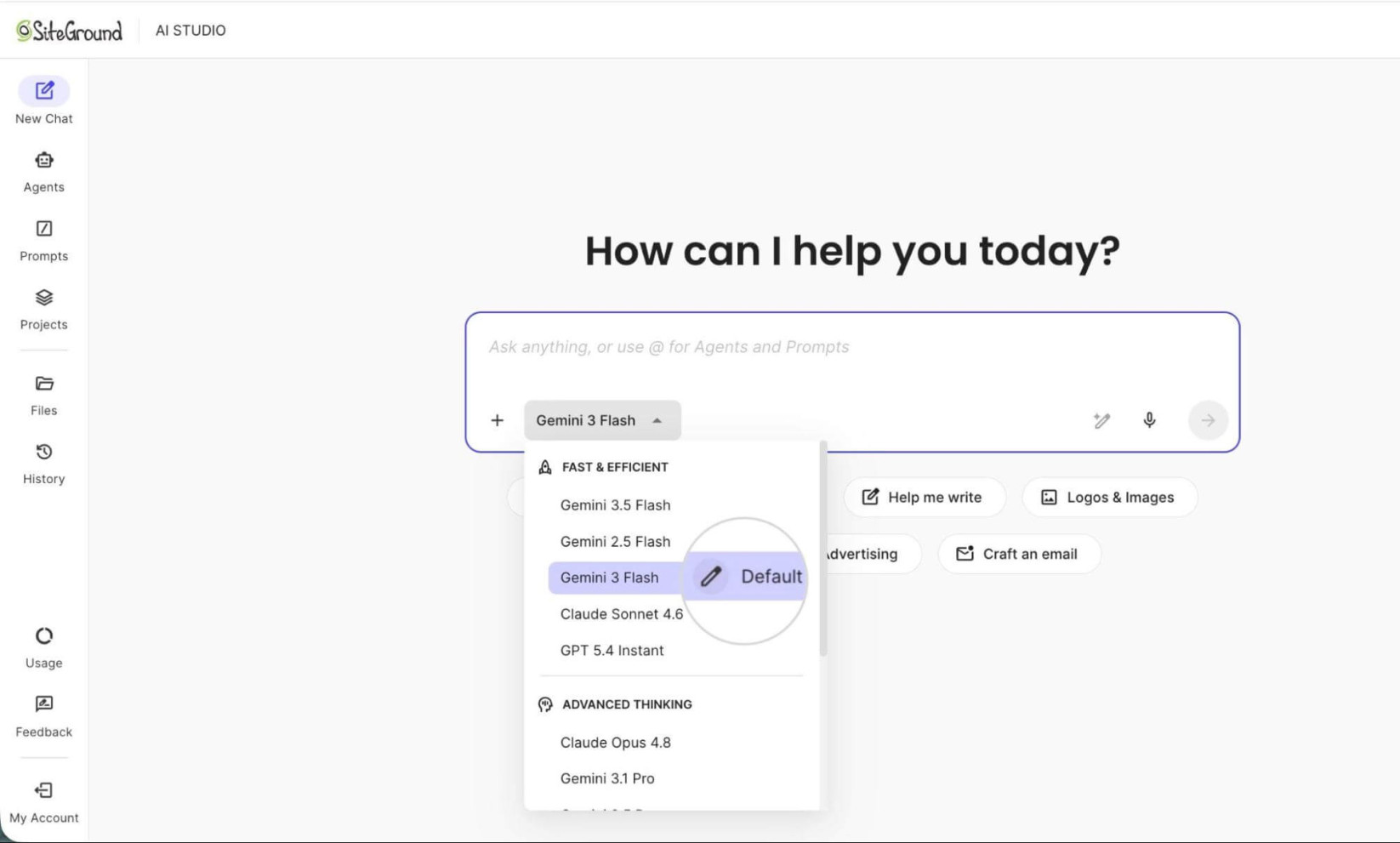
- The default model is labeled “Default”. Click on the Edit (pencil) button next to the Default label.
- In the pop-up window, choose your preferred default model, and click Save.
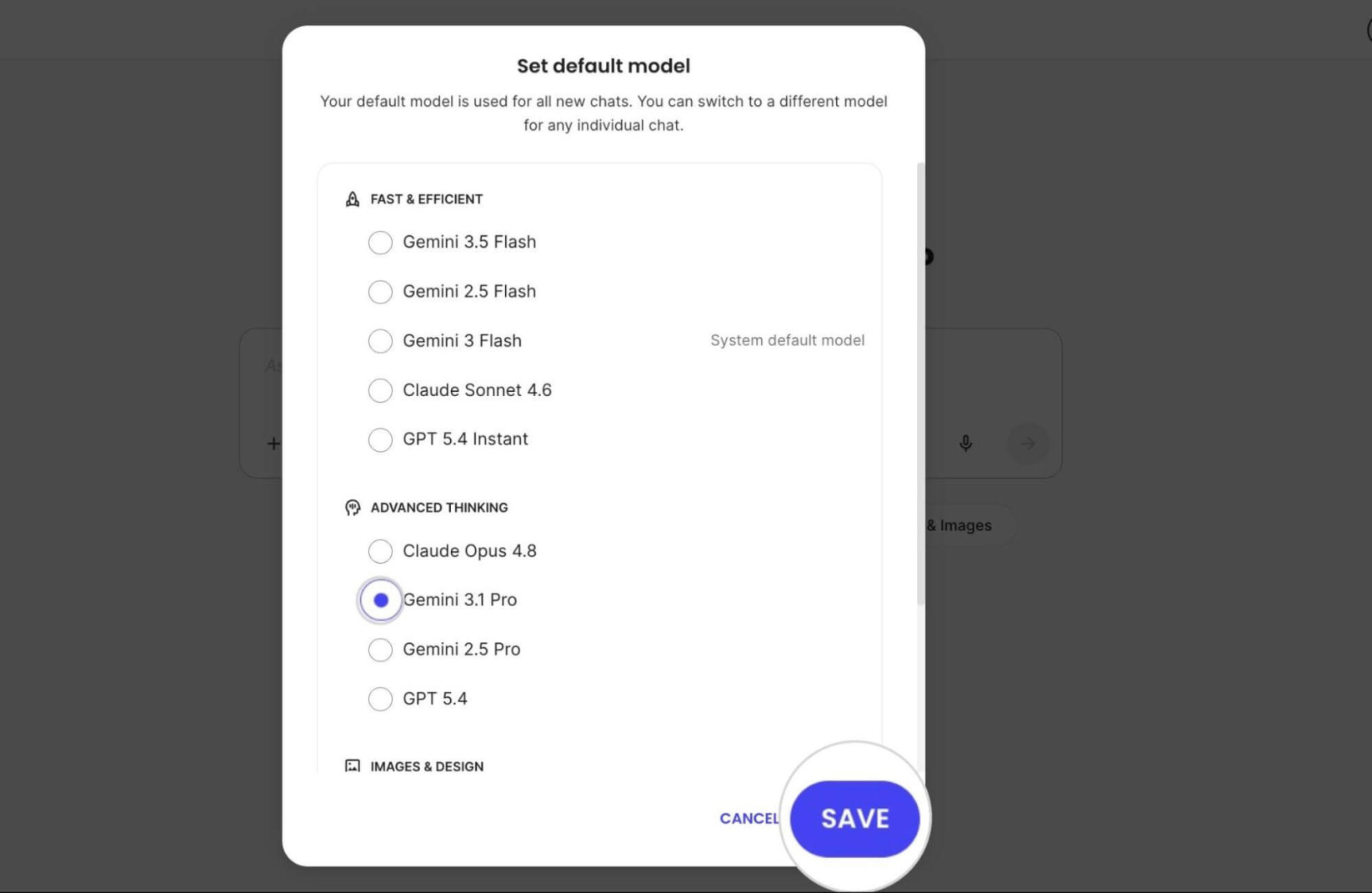
Once selected, the new model becomes your default setting for future chat sessions.
