How to add live rates on checkout
SiteGround Ecommerce offers Shippo integration that grants store owners diverse, easy-to-use delivery solutions. One of the integration’s many perks is the ability to use live rates that streamline the checkout process and optimize margins.
In this guide, you’ll learn how to enable this feature for your SiteGround Ecommerce website.
What are live rates
Live shipping rates are a shipping method that calculates real-time delivery costs at checkout based on the items in your customer’s cart. The system checks product dimensions, selects the optimal packaging, and requests a quote from the carrier for that package size and destination. Your customer then sees the accurate shipping cost directly on the checkout page.
In order to use live rates, your store must fulfill the following requirements:
- The Shippo integration must be enabled
- You must have activated at least one carrier service
How to add live rates
To add live rates shipping method to your Ecommerce store, follow these steps:
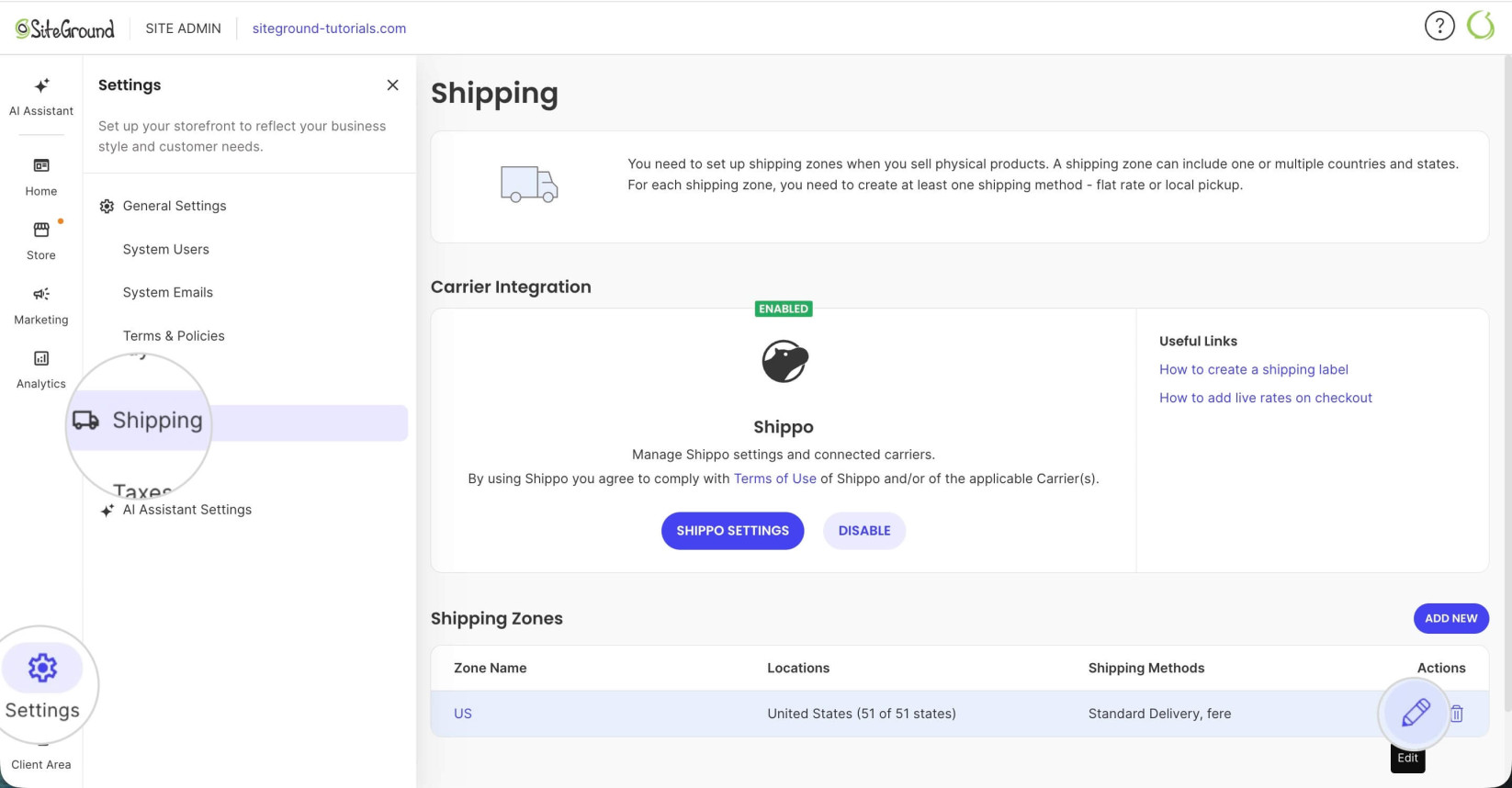
- Navigate to Site Admin > Settings > Shipping.
- Go to the Shipping Zones section, where you can see all existing zones. Press Edit for the zone that will include the live rates method or create a new one with the Add New button.
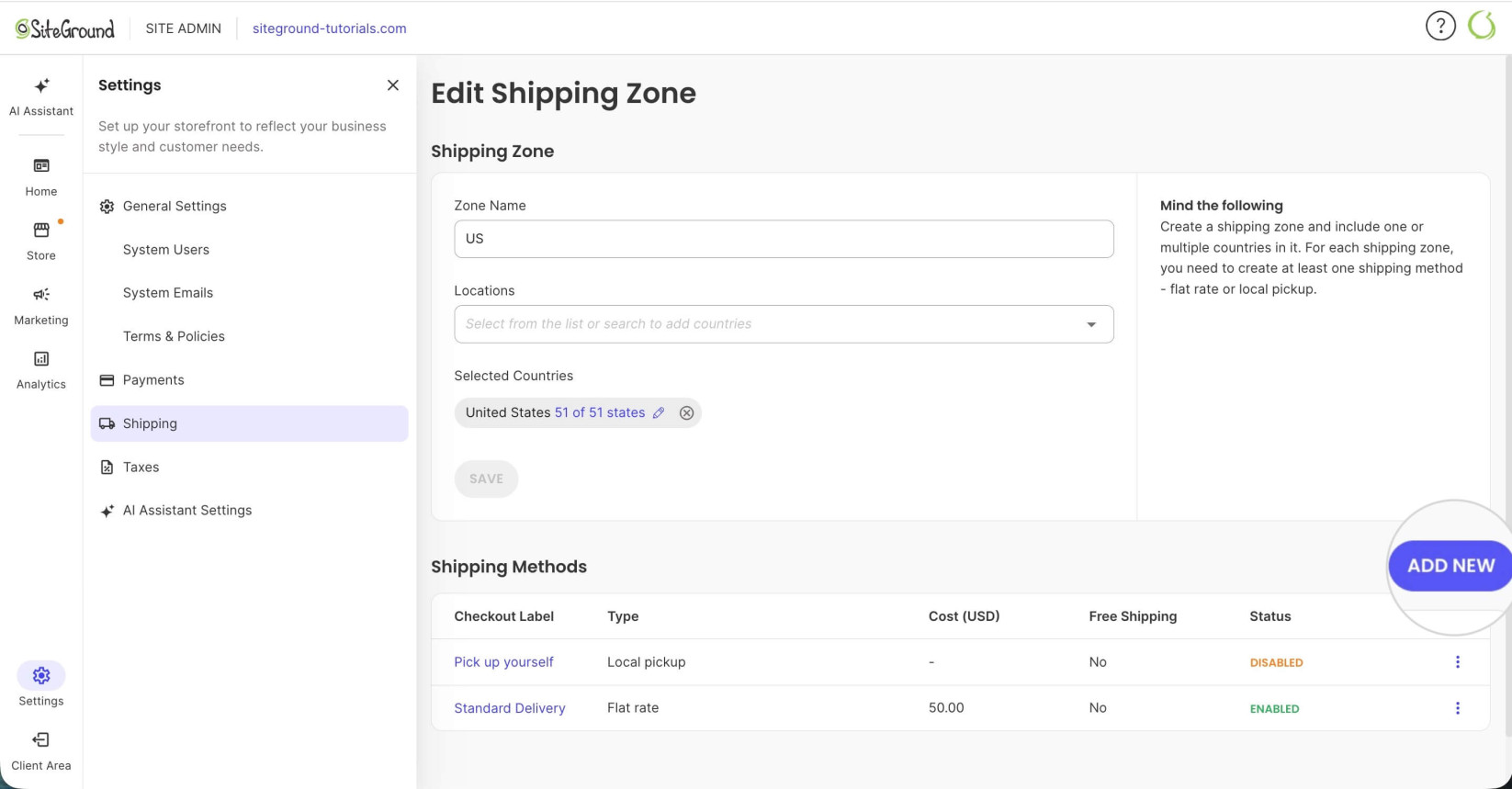
- Inside the shipping zone settings page, press the Add New button in the Shipping Methods section.
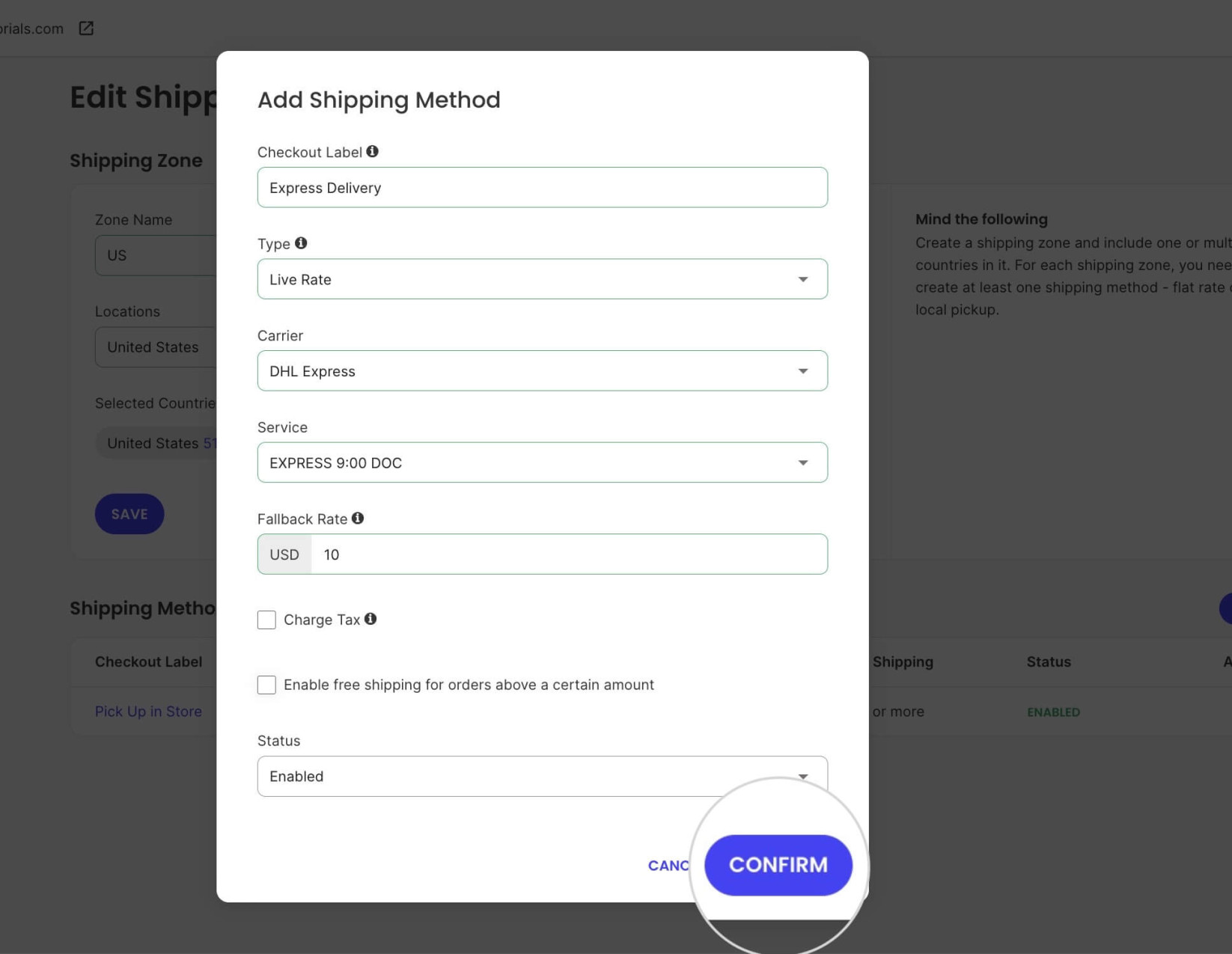
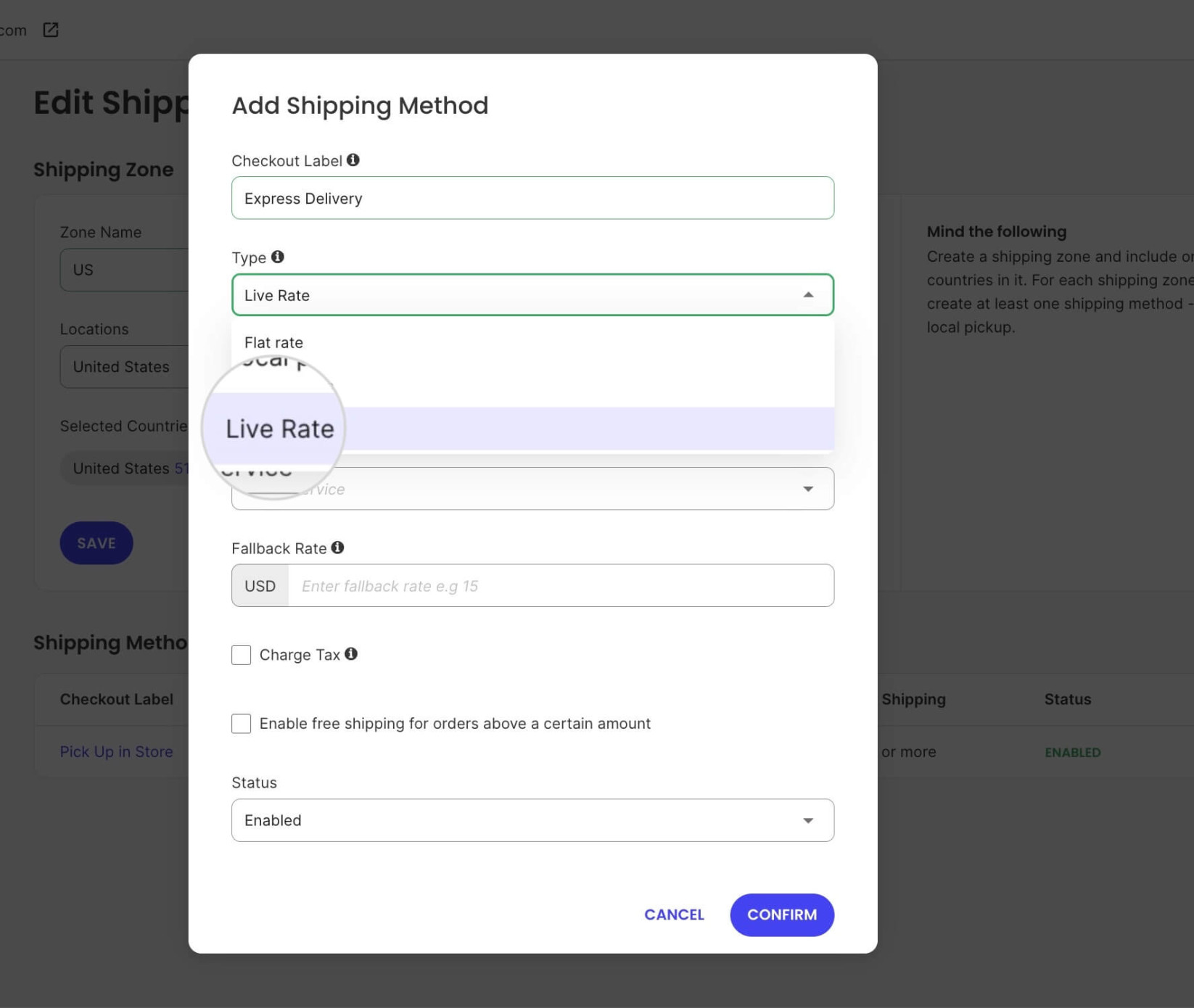
- In the Add Shipping Method window, open the Type menu and select Live Rate.
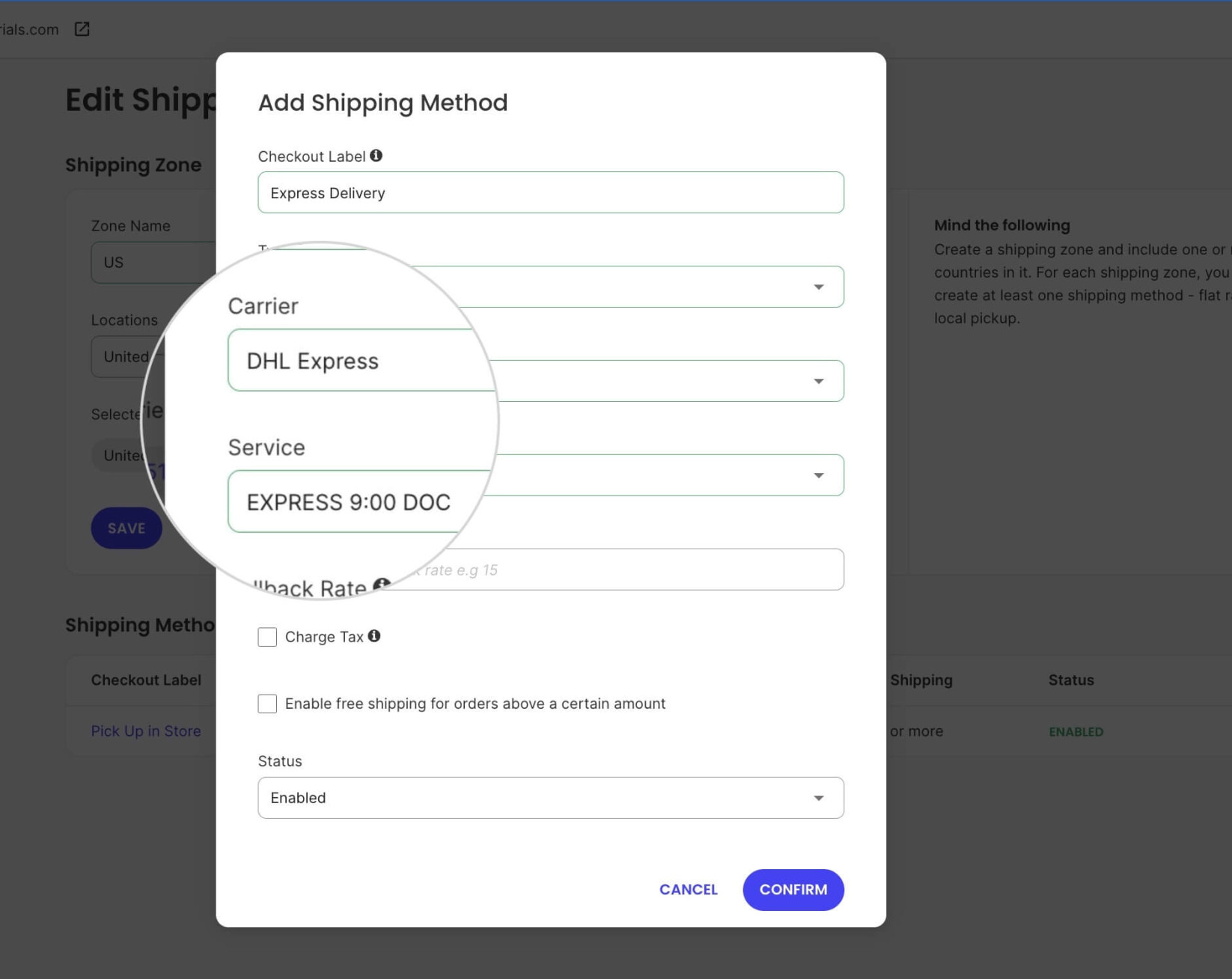
- Choose a carrier and service.
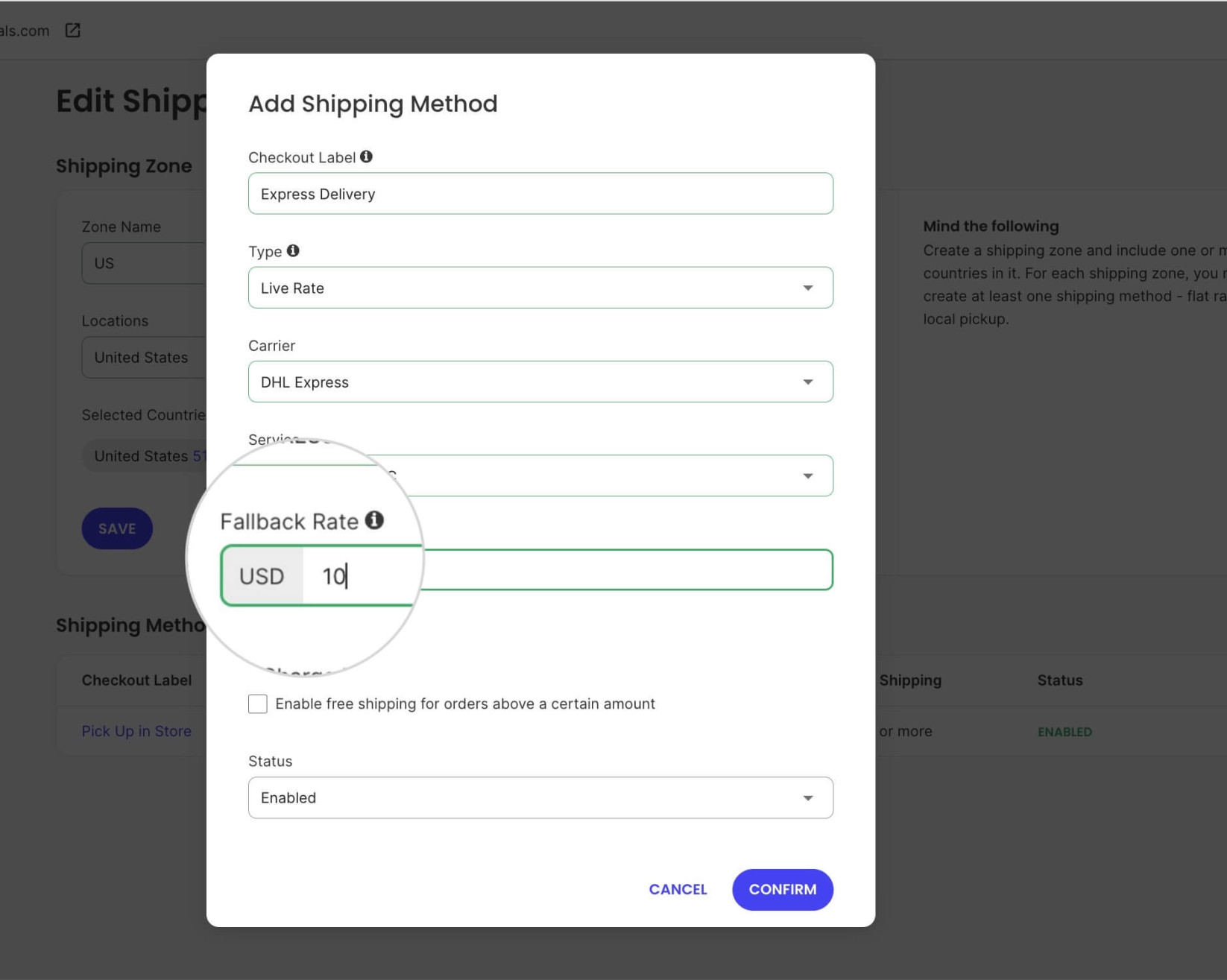
- Define a Fallback Rate. This is the shipping price applied at checkout when a live rate cannot be retrieved from the carrier or when the items in the cart don’t fit any of the available package sizes.
- Add the live rate shipping method by pressing Confirm.