Home
/
Website Builder
/
Global Settings & Site Navigation
/
How to Hide Out-of-Stock Products from the Product Listing Page
How to Hide Out-of-Stock Products from the Product Listing Page
To improve the user experience for visitors to your online store, you can hide out-of-stock products from the product listing page. This will reduce user frustration, order unfulfillment, and unnecessary refunds.
Below, you’ll find the steps to hide out-of-stock products from the listing page in SiteGround Website Builder.
- Go to Site Admin > Edit Website in Website Builder
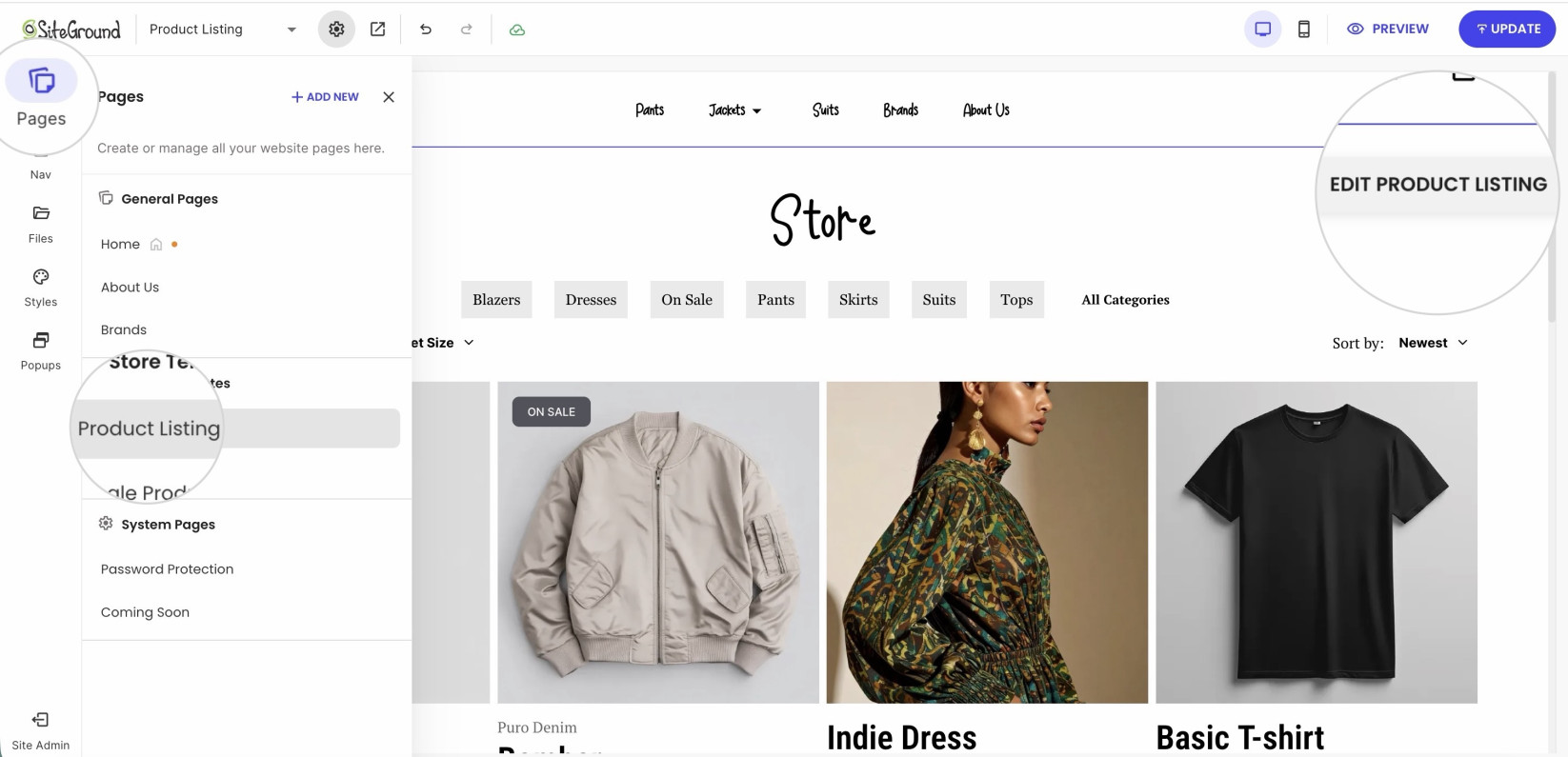
- Click on Pages > Product Listing and then Edit Product Listing.
- In the new popup, scroll down to the Hide Out of Stock Products option and toggle it to ON.
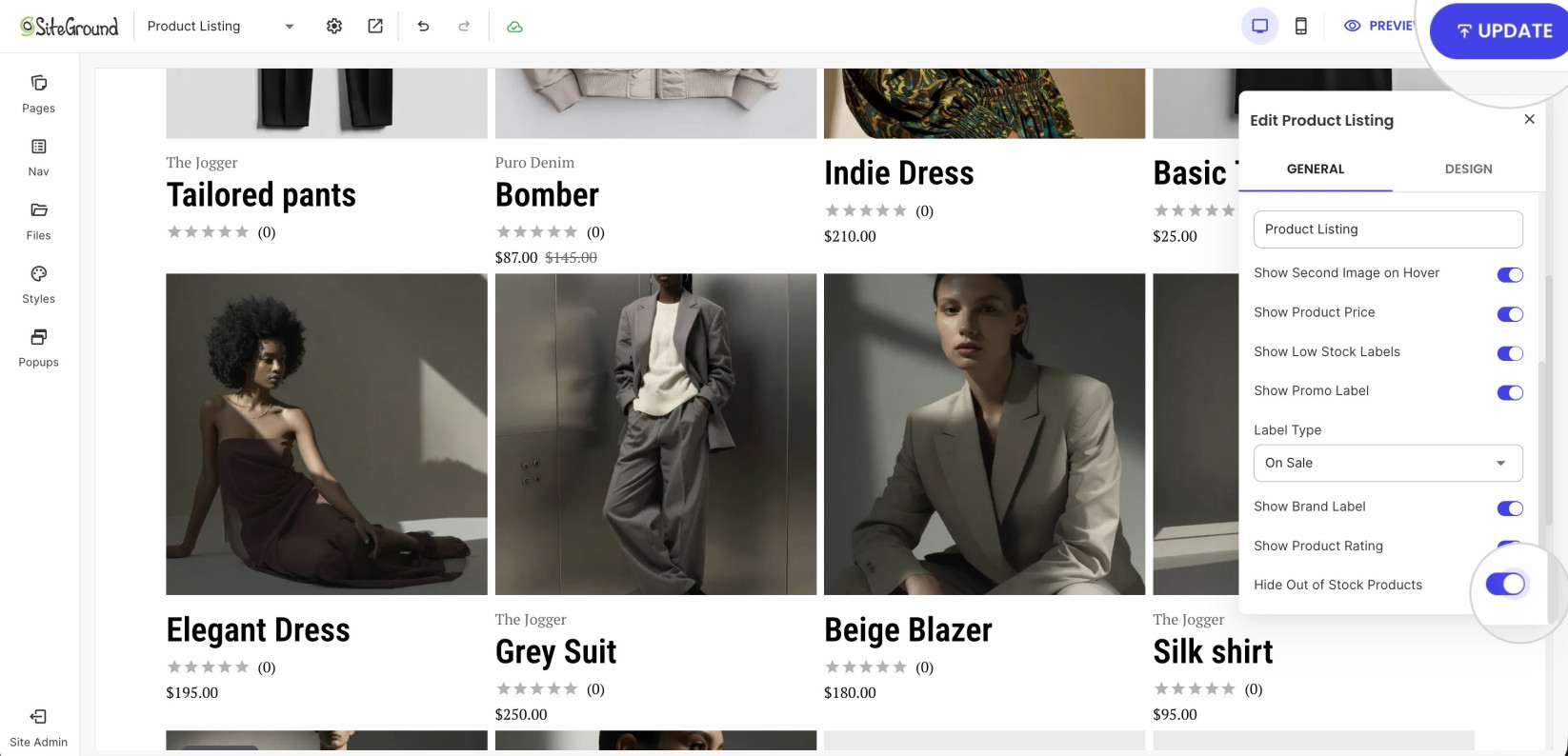
- Confirm with the Update button in the upper right corner.
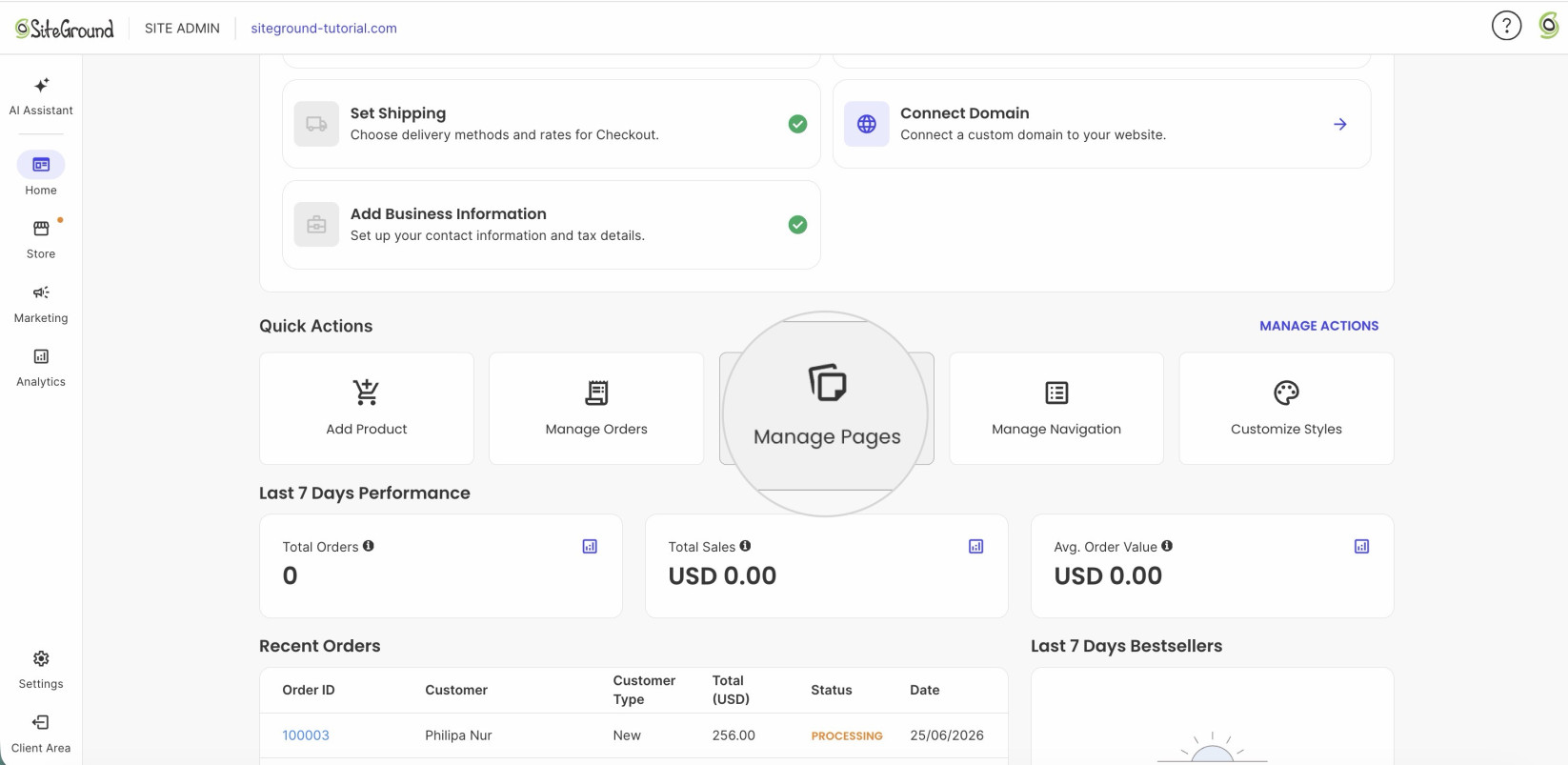
- Alternatively, there are Quick Actions on the main dashboard from where you can select Manage Pages and proceed to Product Listing.
Learn more about stock management in the following guides: