How to generate email campaigns with AI
Do you want to make writing emails simpler and faster? You can now use AI Email Generation right inside SiteGround’s Email Marketing and build full campaigns in a matter of minutes. Just describe your email or use one of the preset starter email options. The feature is available for all of our Email Marketing plans and consumes AI tokens.
You can do that either in the Campaigns section or in the Automation Builder.
Generating email campaigns with AI
- Go to Email Marketing > Campaigns > New Campaign.
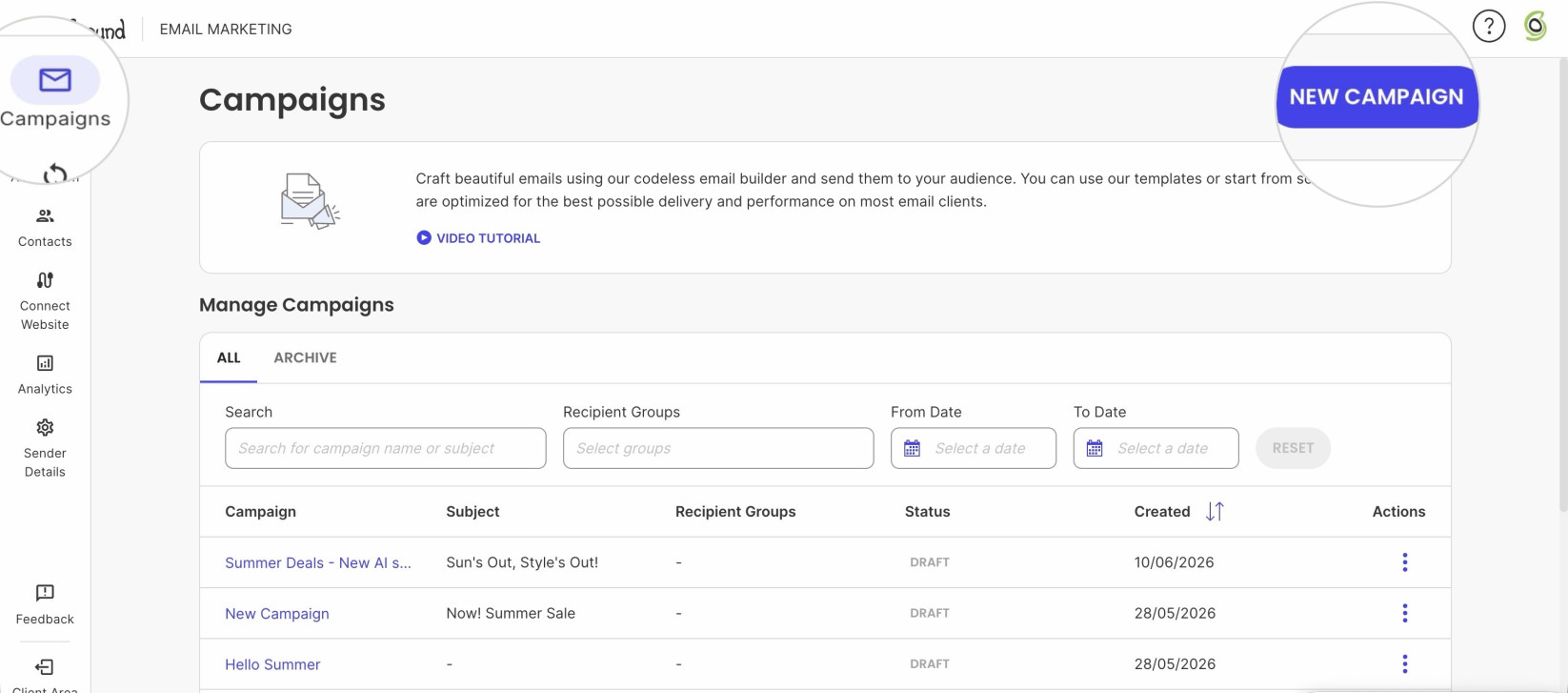
- From the new campaign dialog, select the Generate with AI card.
- Add Campaign Name and choose Language, then press Continue.
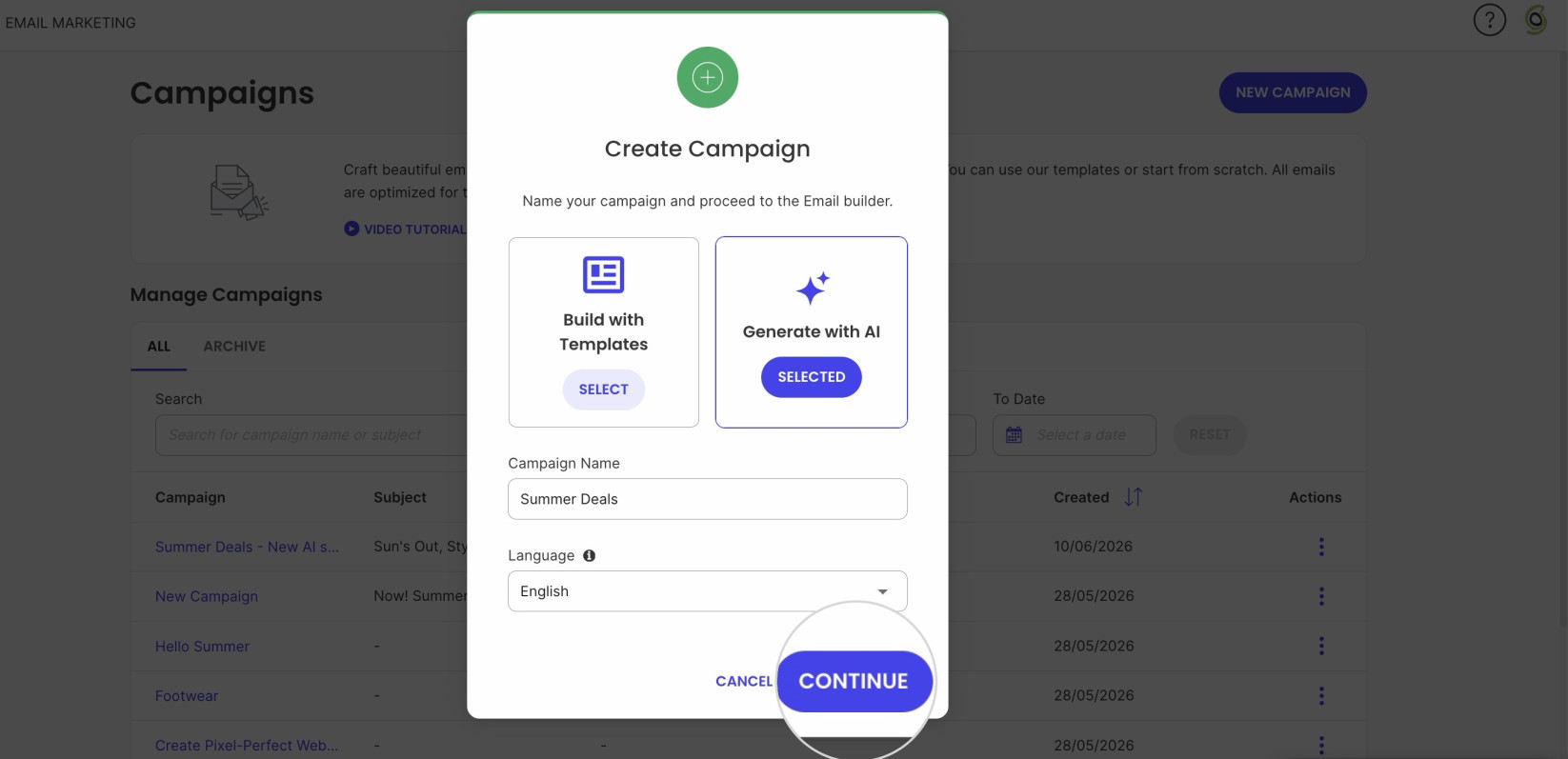
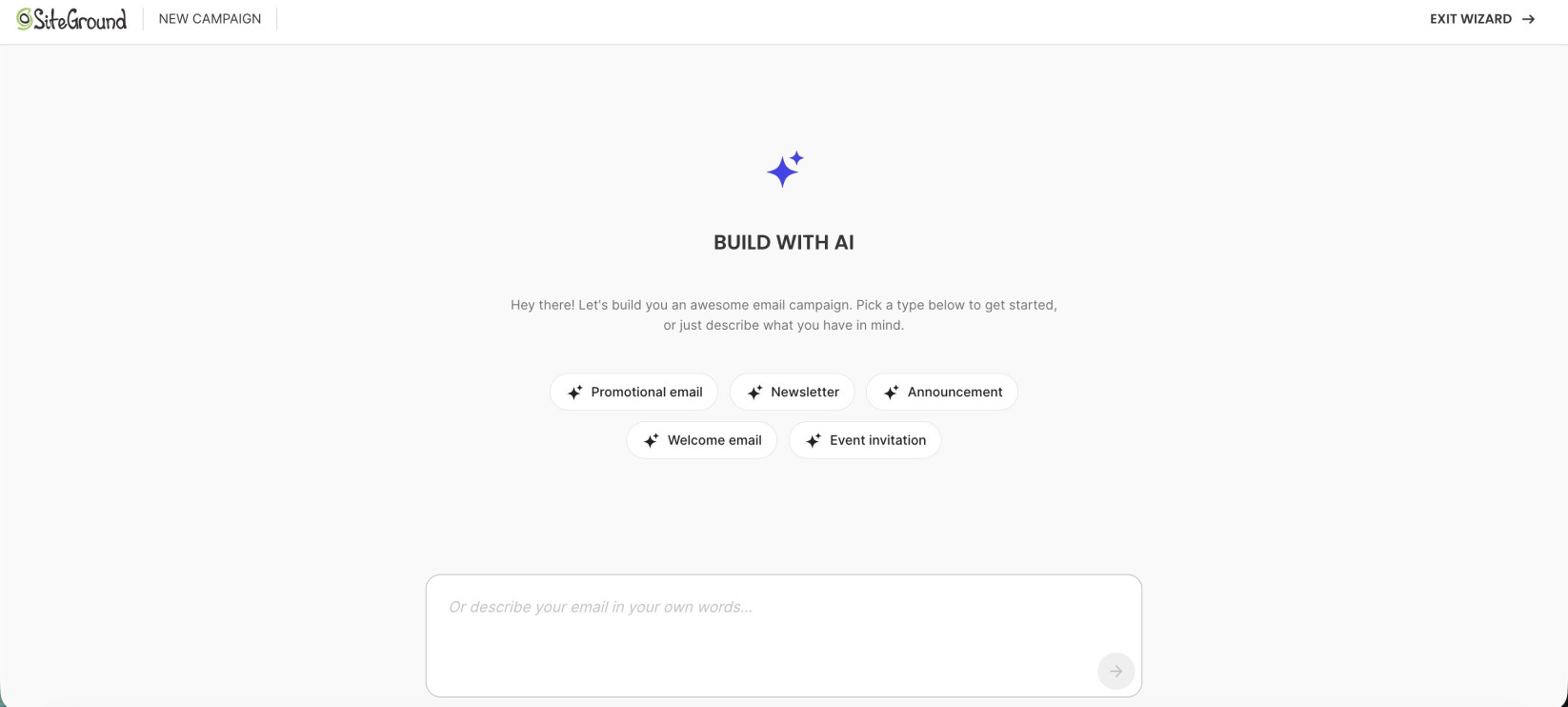
- Select one of the options for generating your email from the dedicated chat page:
- Start with a preset email type: Promotional email, Newsletter, Announcement, Welcome email, Event invitation.
- Describe your email campaign, using the chat.
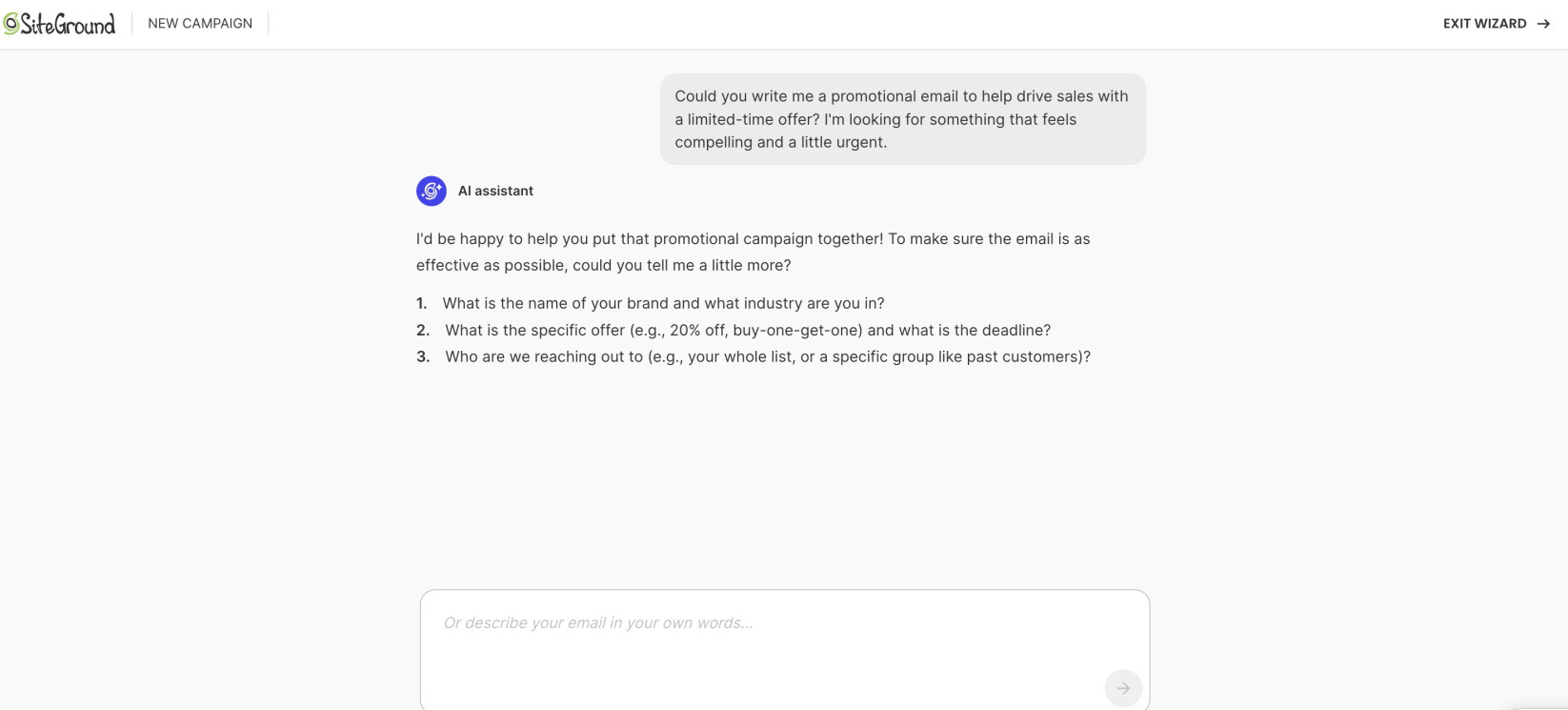
No matter the option you choose, there might be up to four follow-up questions to further clarify your email. However, the AI assistant will skip these questions if your first prompt is complete and clear enough.
- Once enough email specifics are gathered, a summary form will appear with several fields which you can preview and easily edit if necessary.
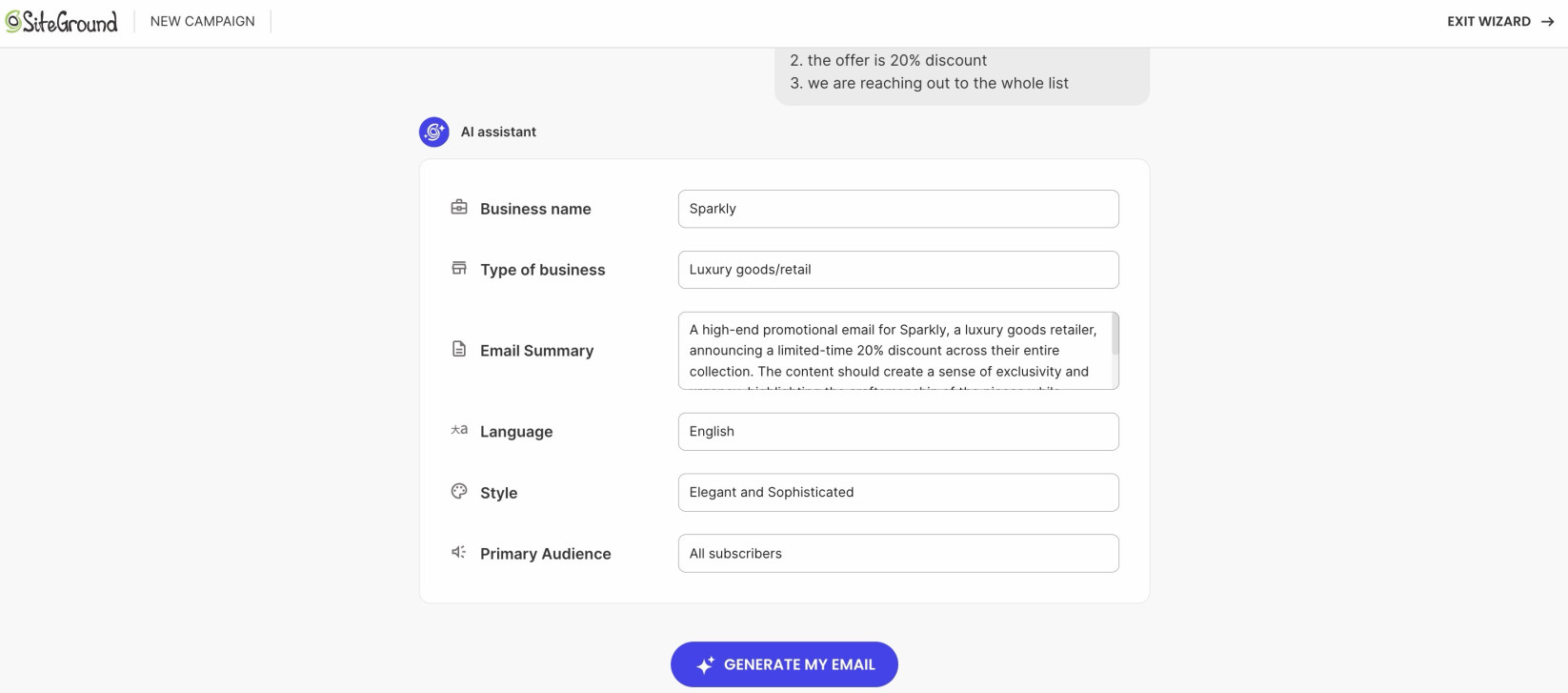
- Click Generate My Email.
- When the result is ready, you will be automatically redirected to your Email Marketing Builder where you can preview your email details and make final adjustments.
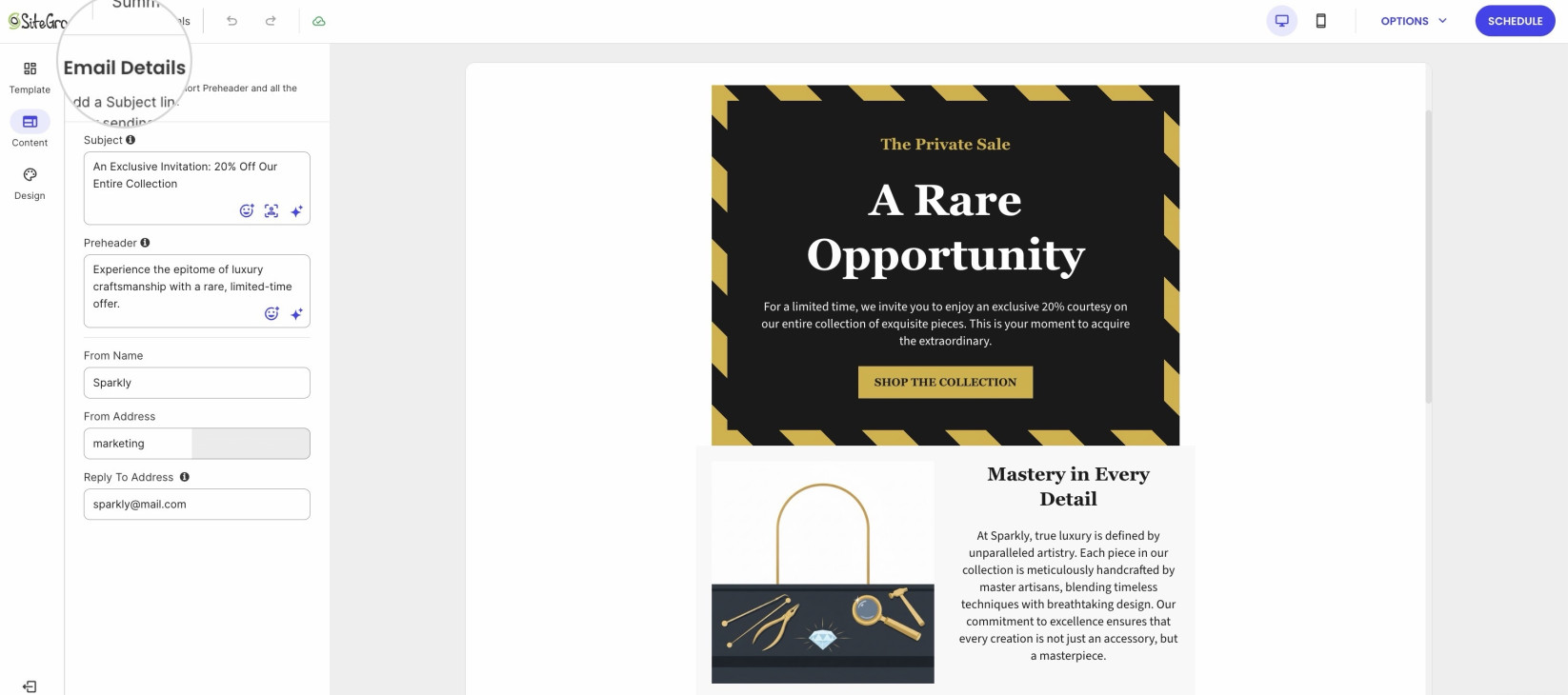
- Press Schedule in the upper right corner, after finalizing the AI-generated version of your email.
You can also check out how to use the AI Image Generator in SiteGround Email Marketing.