Home
/
Hosting Subscription
/
Billing Questions
/
Does the cloud autoscaling option renew automatically?
Does the cloud autoscaling option renew automatically?
When an autoscaling event occurs, the extra resources you have selected and activated for your cloud plan will be added for 1 calendar month. After that, they will be suspended until another autoscaling event occurs, unless you explicitly request their renewal.
There are two ways to do it:
- Configure a one-off renewal manually
- Configure it automatically
You can do a one-off renewal manually via Autoscale Settings > Autoscaled Resources > Actions > Renew.
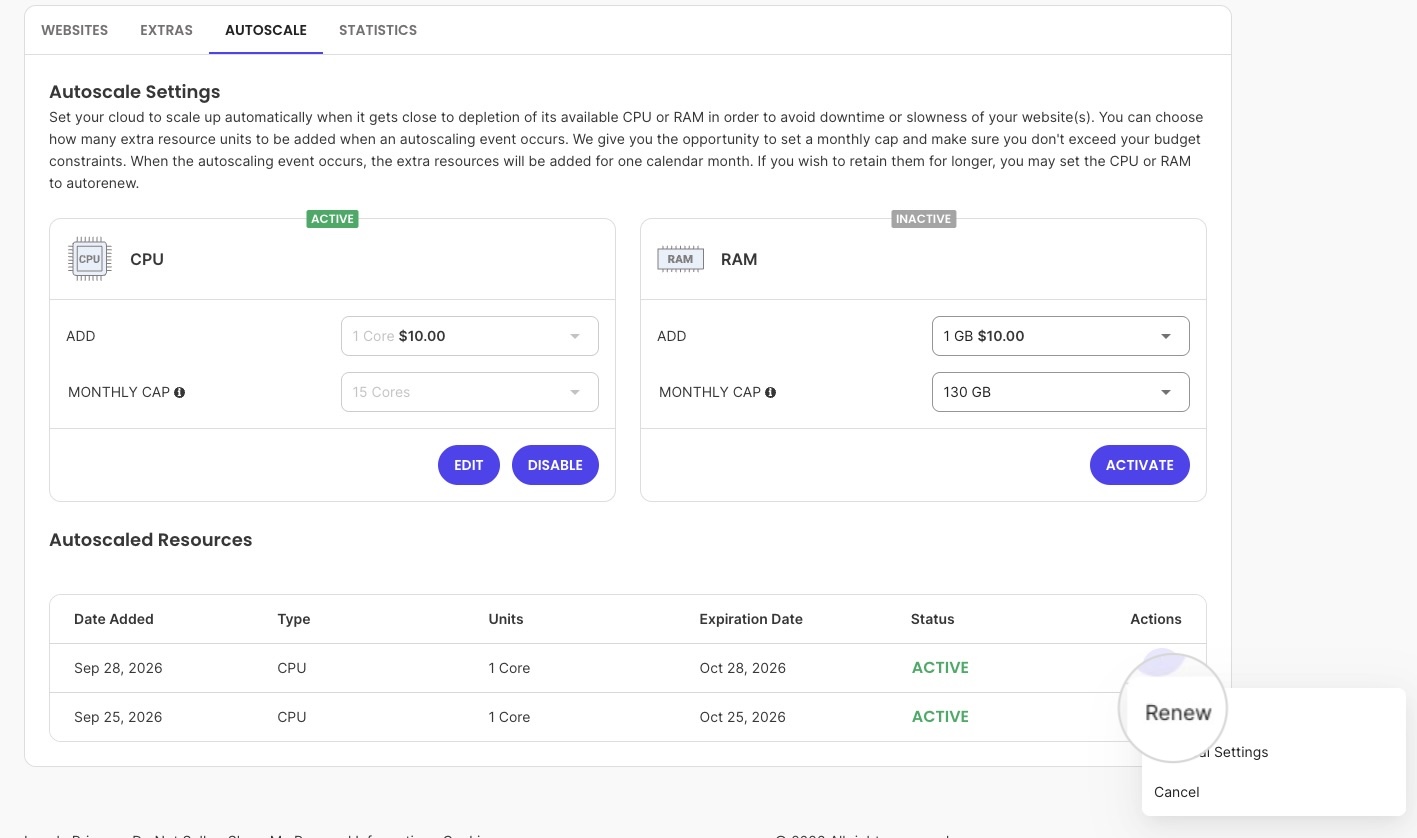
Or you can configure it to automatically renew every month via Autoscale Settings > Autoscaled Resources > Actions > Renewal Settings.
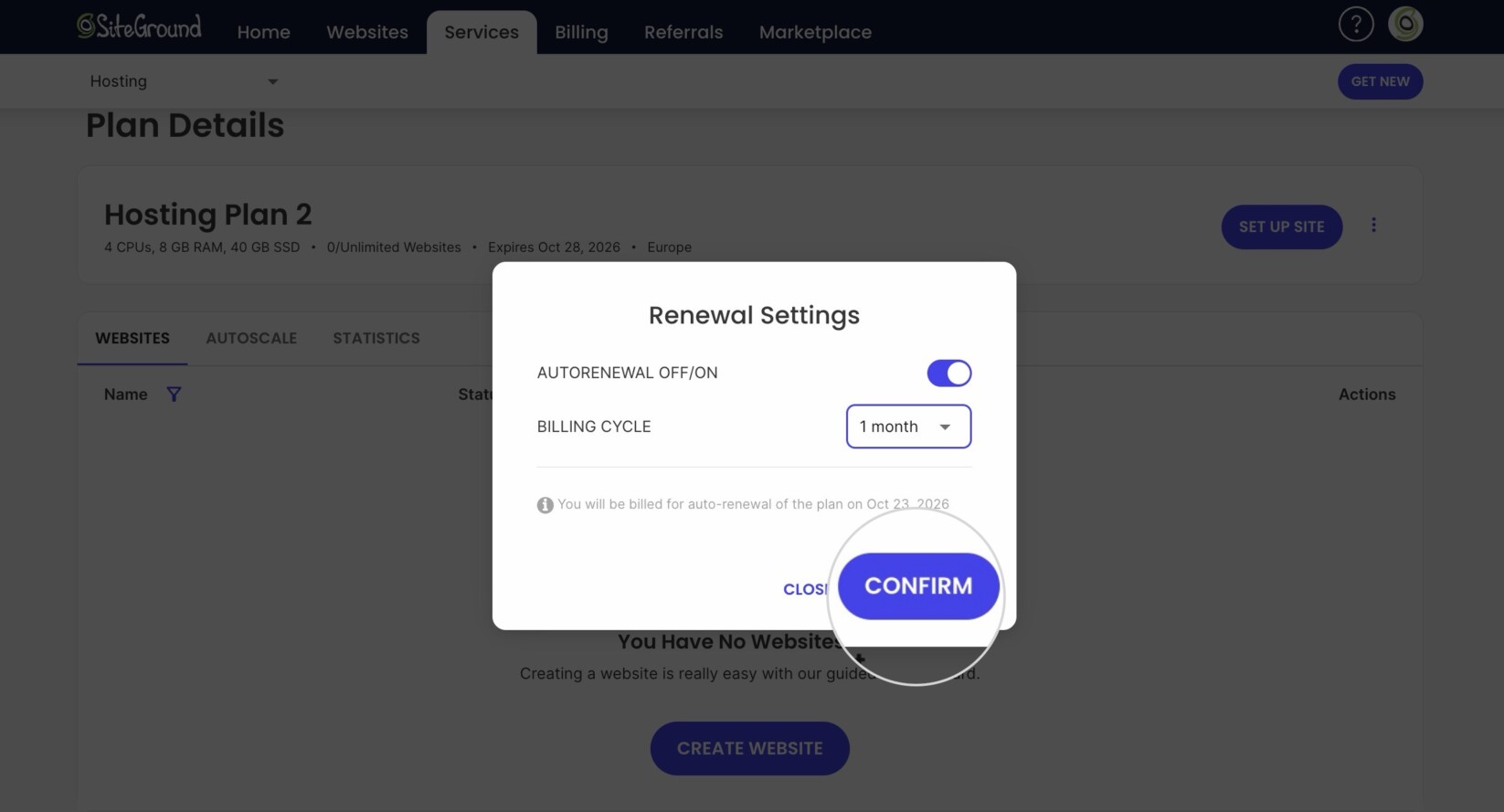
Otherwise, the autoscaled resources will be removed automatically once their expiration date arrives.
If you want to stop the cloud autoscale option, click Disable in the CPU and RAM sections.
