How to check AI Tokens usage per chat in SiteGround AI Studio
Check how many AI Tokens a specific chat has used in SiteGround AI Studio. This helps you estimate how different requests affect token usage.
- Open AI Studio.
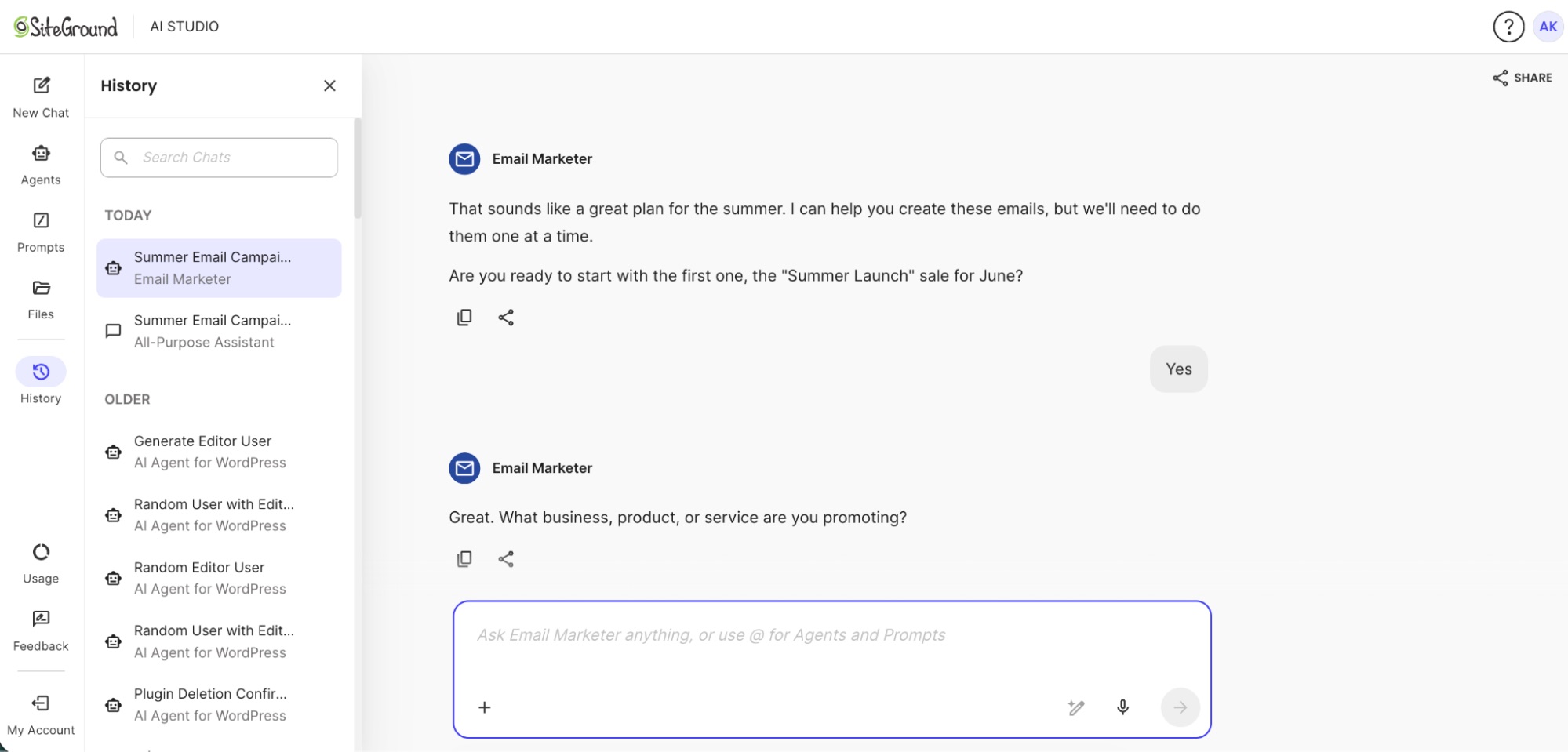
- Go to History and open one of your chats.
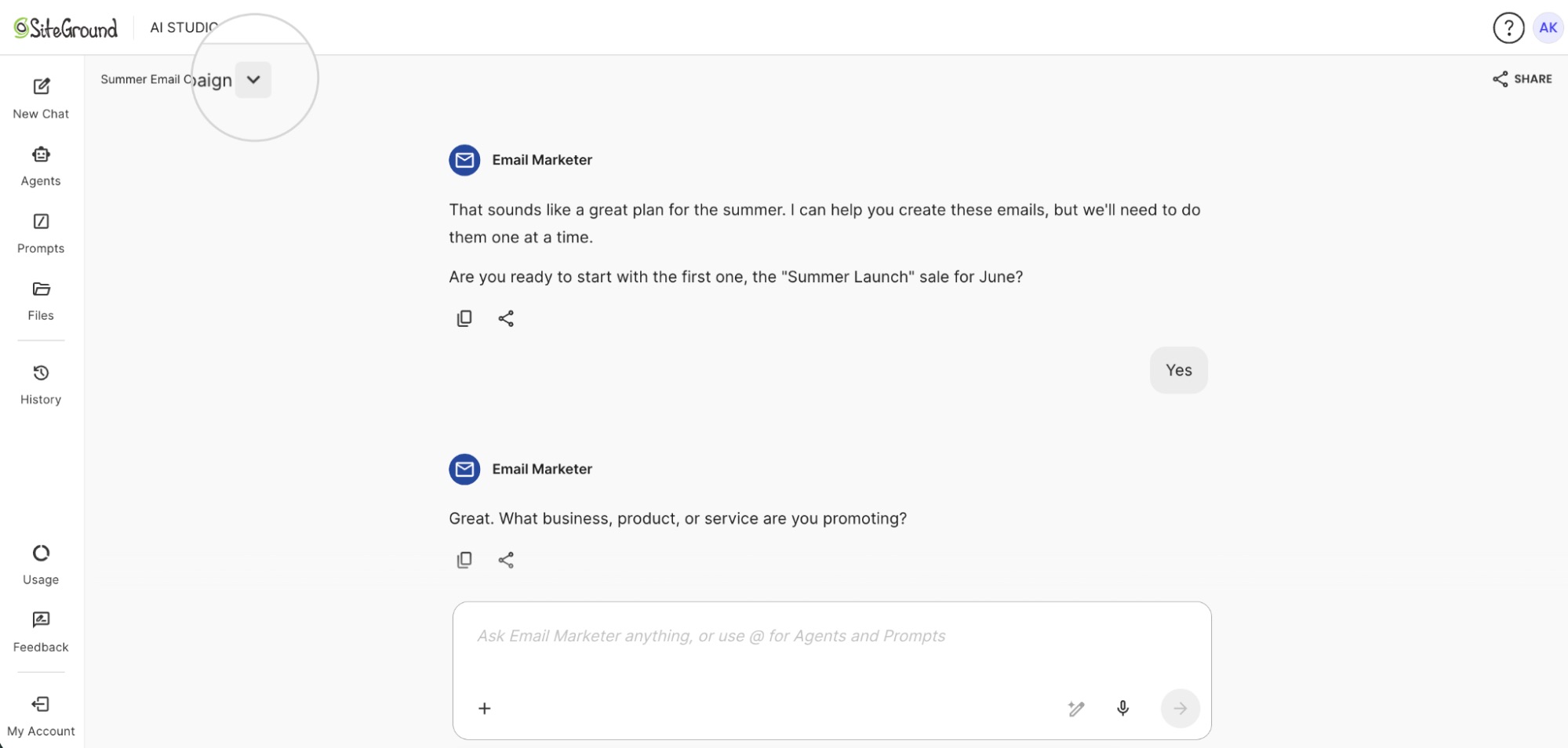
- Click the dropdown arrow in the upper-right, next to the chat name.
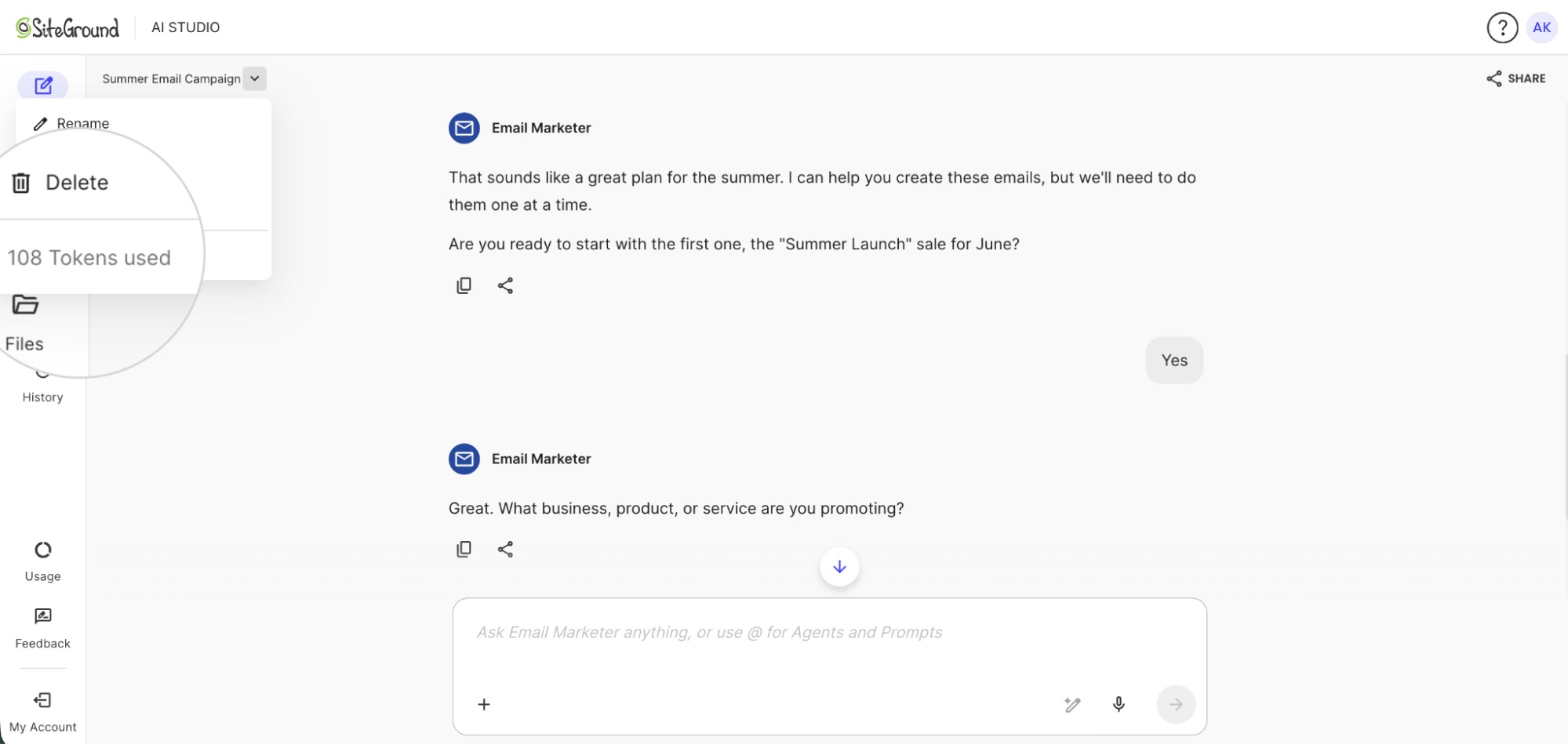
- Check the token usage for that chat displayed at the bottom of the menu.
To learn more about how token usage is calculated and how to monitor your overall consumption, see how to monitor AI Studio token usage.
