Knowledge Base

Get Expert Website Hosting

Choose website reliability and expertise with SiteGround!

Home / Ecommerce / How to Check Orders Made by a Customer

How to Check Orders Made by a Customer

Summarize this article with:
Last update: Jul 28, 2026 • 1 min read

SiteGround Ecommerce lets you track your purchases by customer. That means that you can get a list of the orders a particular customer has logged in your shop.

Read on to learn how to track purchases by customer’s name.

How to track purchases in SiteGround Ecommerce?

To track purchases by a customer’s name, follow these steps.

  1. Login to your Ecommerce Admin Dashboard
  2. Navigate to the Orders section to see a full list of your orders
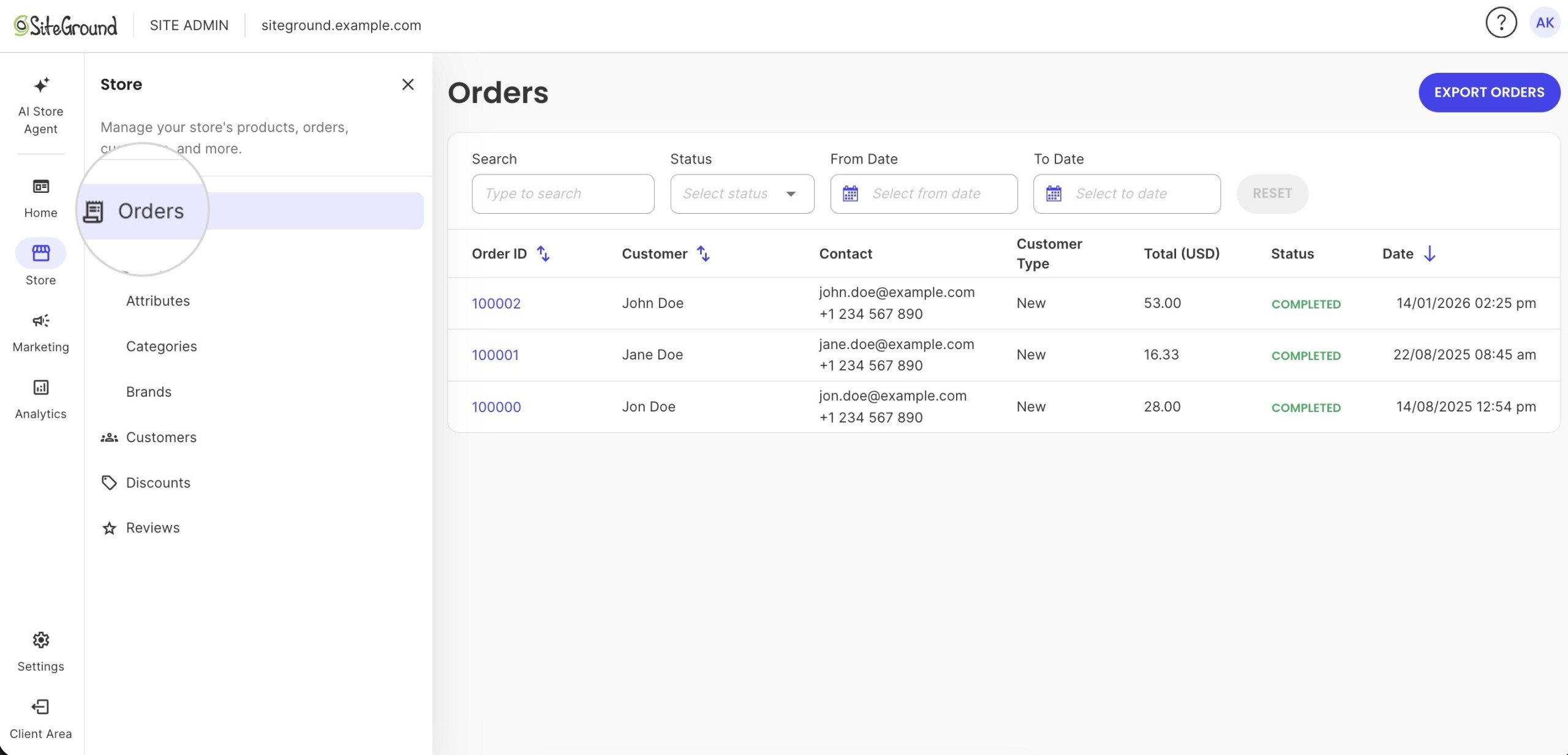
    SiteGround Site Admin Store > Orders page, with the Store menu open and "Orders" highlighted. Filter controls (Search, Status, From Date, To Date, Reset) sit above a table of three completed orders: 100002 John Doe USD 53.00, 100001 Jane Doe USD 16.33, and 100000 Jon Doe USD 28.00, each a New customer. An Export Orders button is at top right.
  3. Type the name of the customer whose orders you want to track in the “Type to search” field. That will sort the orders list and show you only the orders made by that particular customer.
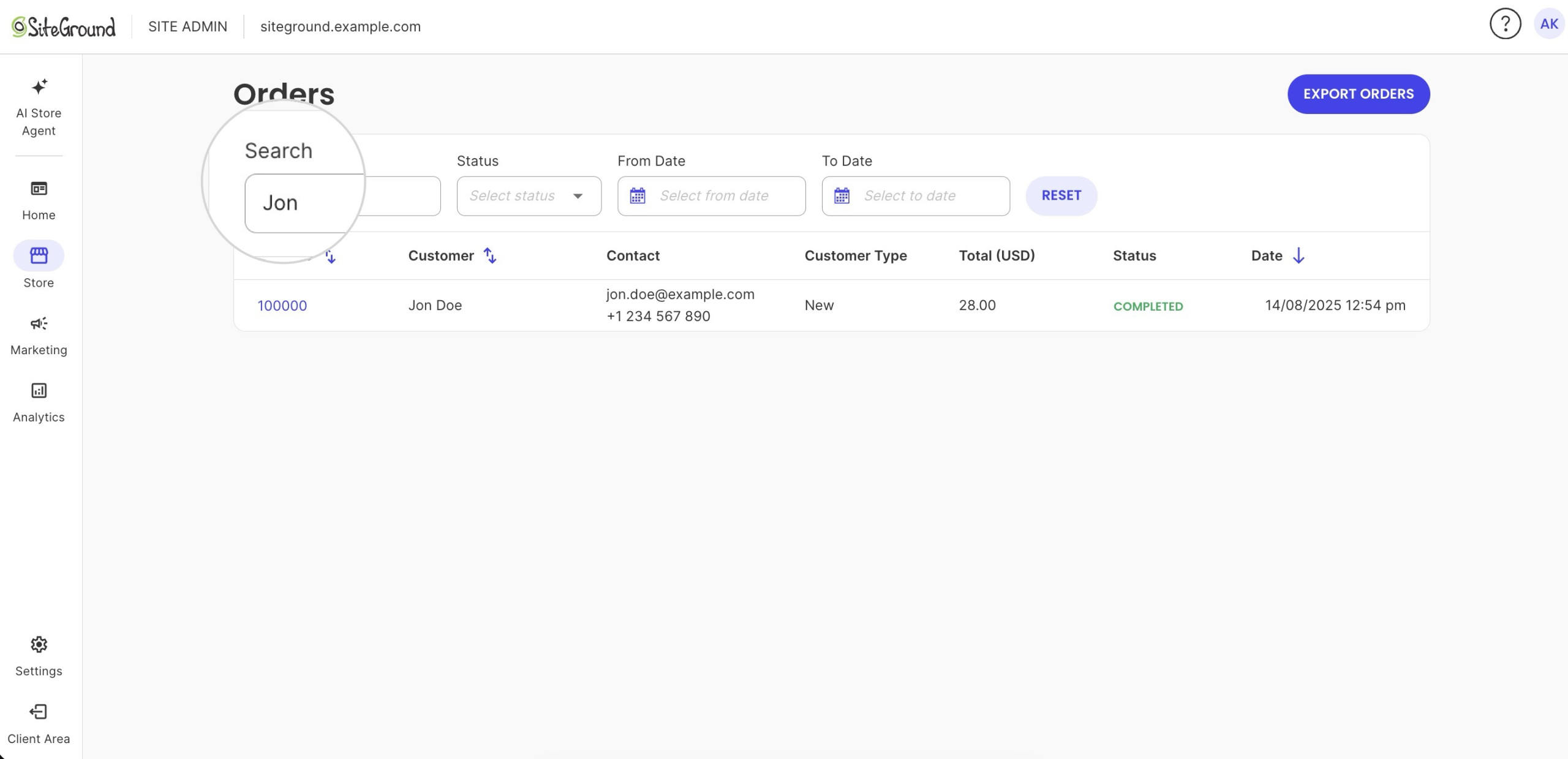
    SiteGround Site Admin Store > Orders page filtered by the Search box (spotlighted) containing "Jon", narrowing the table to a single order: 100000, Jon Doe (jon.doe@example.com), New customer, USD 28.00, Completed, dated 14/08/2025.
  4. You can further sort the list by selecting a Status from the respective dropdown menu.
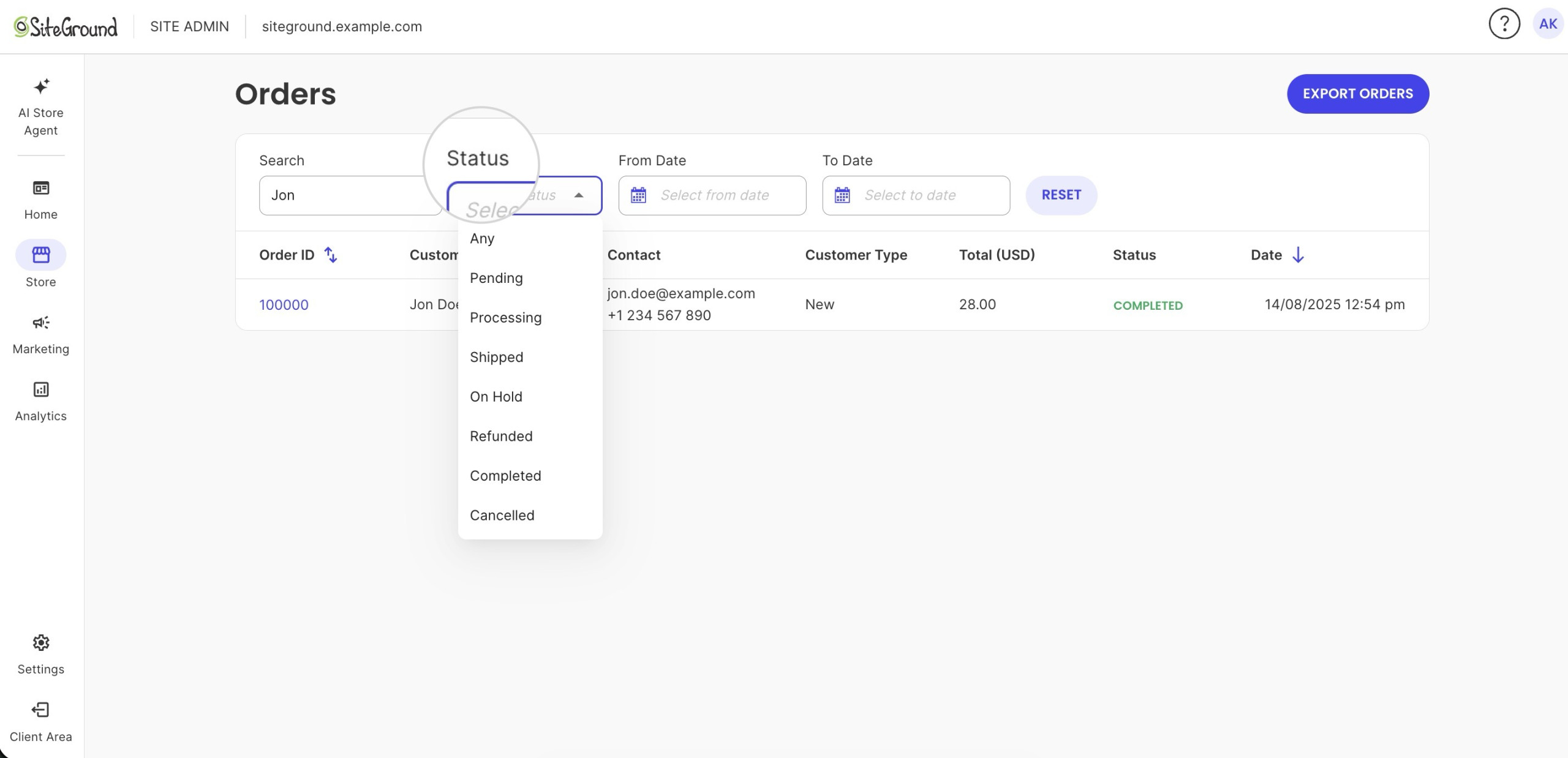
    SiteGround Site Admin Store > Orders page with the Status filter dropdown (spotlighted) open, listing Any, Pending, Processing, Shipped, On Hold, Refunded, Completed, and Cancelled. The Search box contains "Jon" and the table shows order 100000 for Jon Doe, Completed, USD 28.00.
  5. Or filter the particular customer’s orders for a certain time frame – From / To a date.
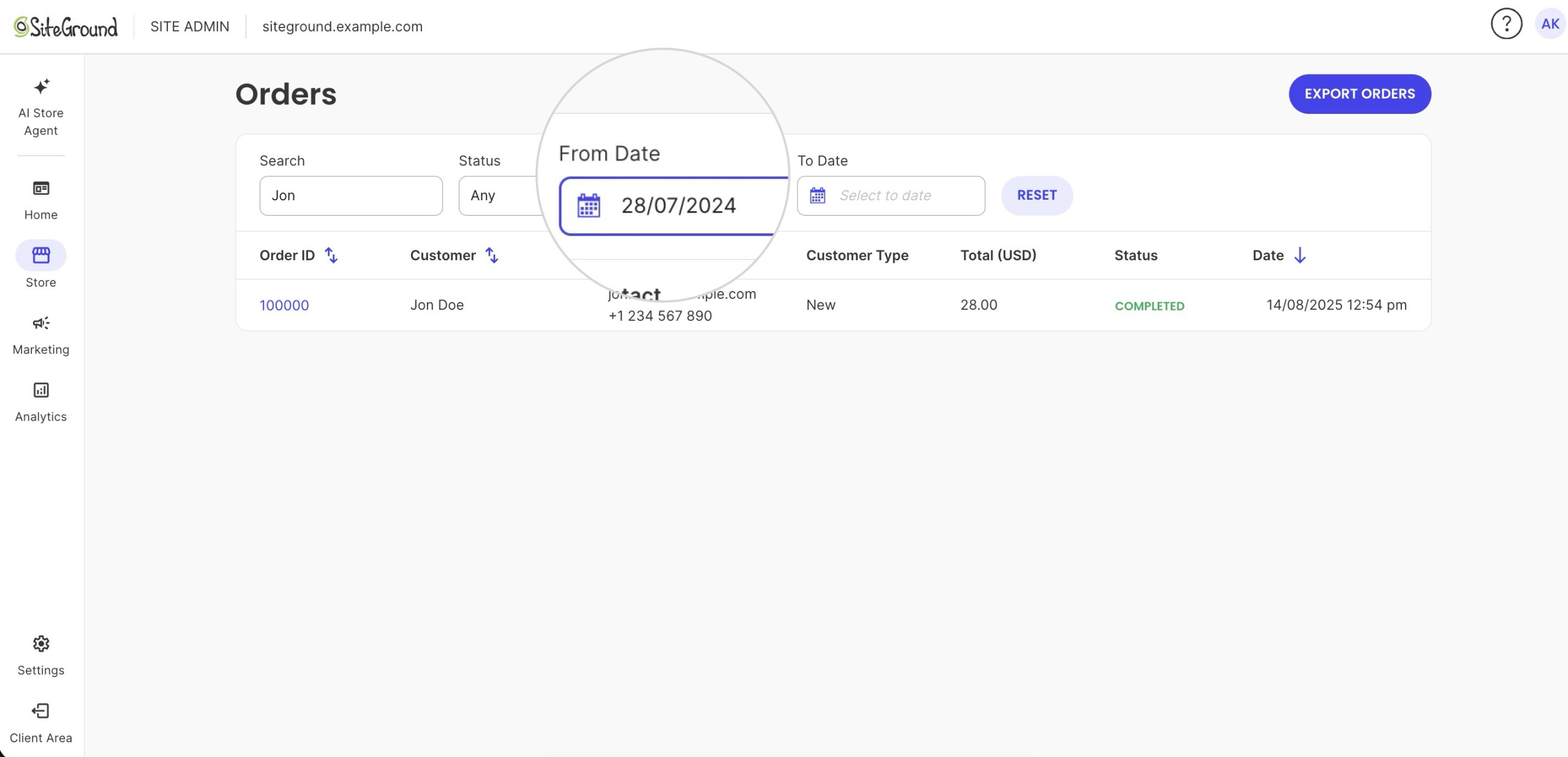
    SiteGround Site Admin Store > Orders page with the "From Date" filter (spotlighted) set to 28/07/2024. Search is set to "Jon" and Status to Any; the table shows order 100000 for Jon Doe, New customer, USD 28.00, Completed, dated 14/08/2025.

Tracking orders by the customer’s name helps you to personalize customer service and quickly resolve issues.

Share this article

Found this article useful?

Add SiteGround to your preferred Google sources