Home
/
Collaborators and White-Label Clients
/
Manage White-Label Clients
/
How to Assign Roles to Users?
How to Assign Roles to Users?
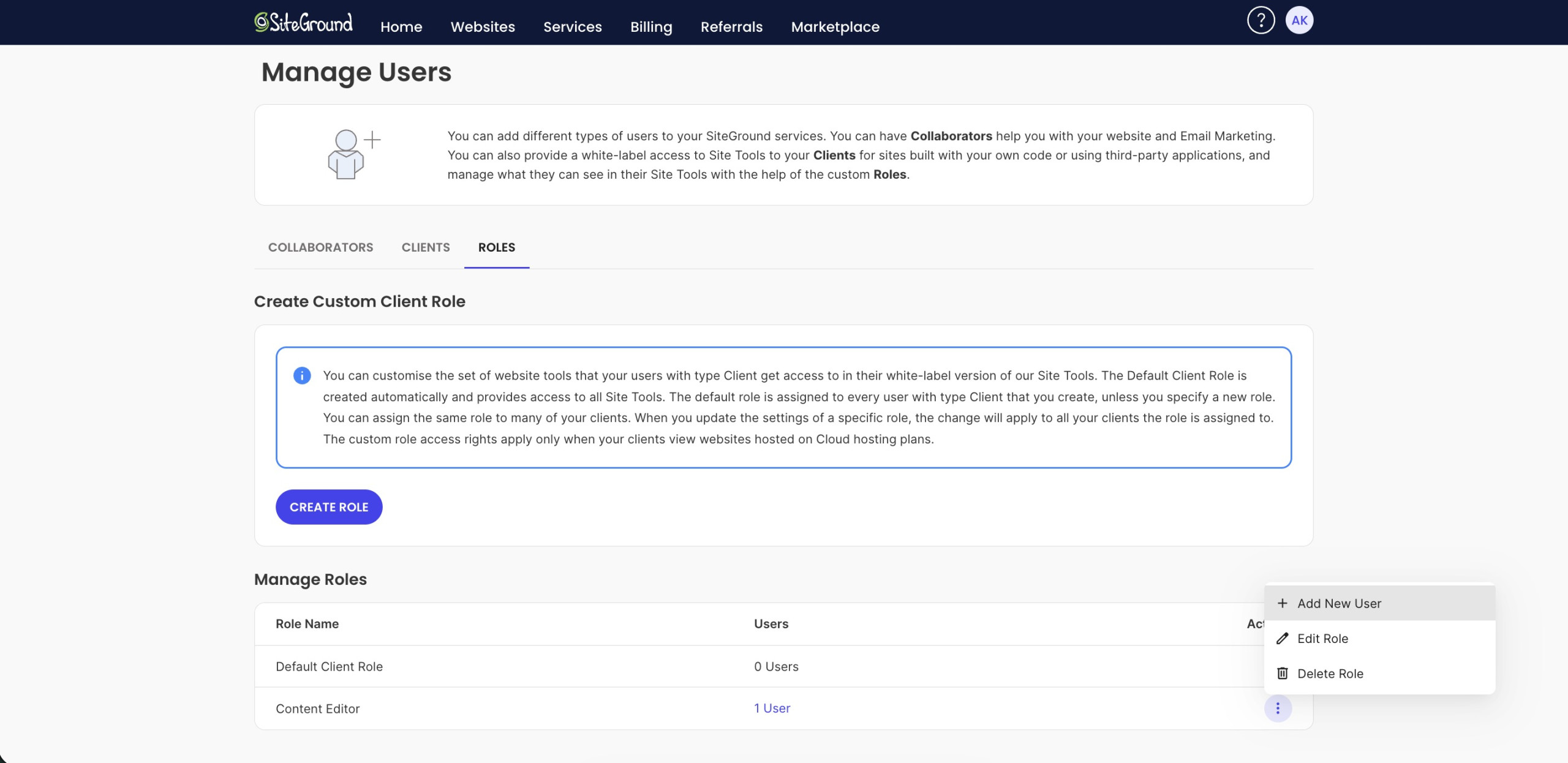
The option to assign roles is available for users of the type “Client” associated with websites created in cloud hosting plans. To assign a role to a user, go to your Client Area, click on your profile icon, and select Manage Users.
From the Roles tab, find the role you wish to assign to your user and click the Actions menu next to the role. Select Add New User from that menu and follow the steps.
Alternatively, when you create a new user from the Manage Users > Users tab, you will be able to assign an already existing role or create a new one on the fly.