How to use product specifications
Product specifications allow you to display structured details about your products, such as material, care instructions, or origin. They help customers better understand what you are selling and make it easier to compare products.
Specifications are based on attributes, which means the same attribute can be used both for product variations and for specifications. You can reuse them across multiple products and add as many specifications as needed.
Additionally, specifications can be enabled as filters, making your products easier to discover on the store page.
How to add and manage specifications
Specifications are added from the product creation or editing page.
- Go to Store Manager > Products.
- Create a new product or edit an existing one.
- Open the Specifications tab.
- Click Add New.
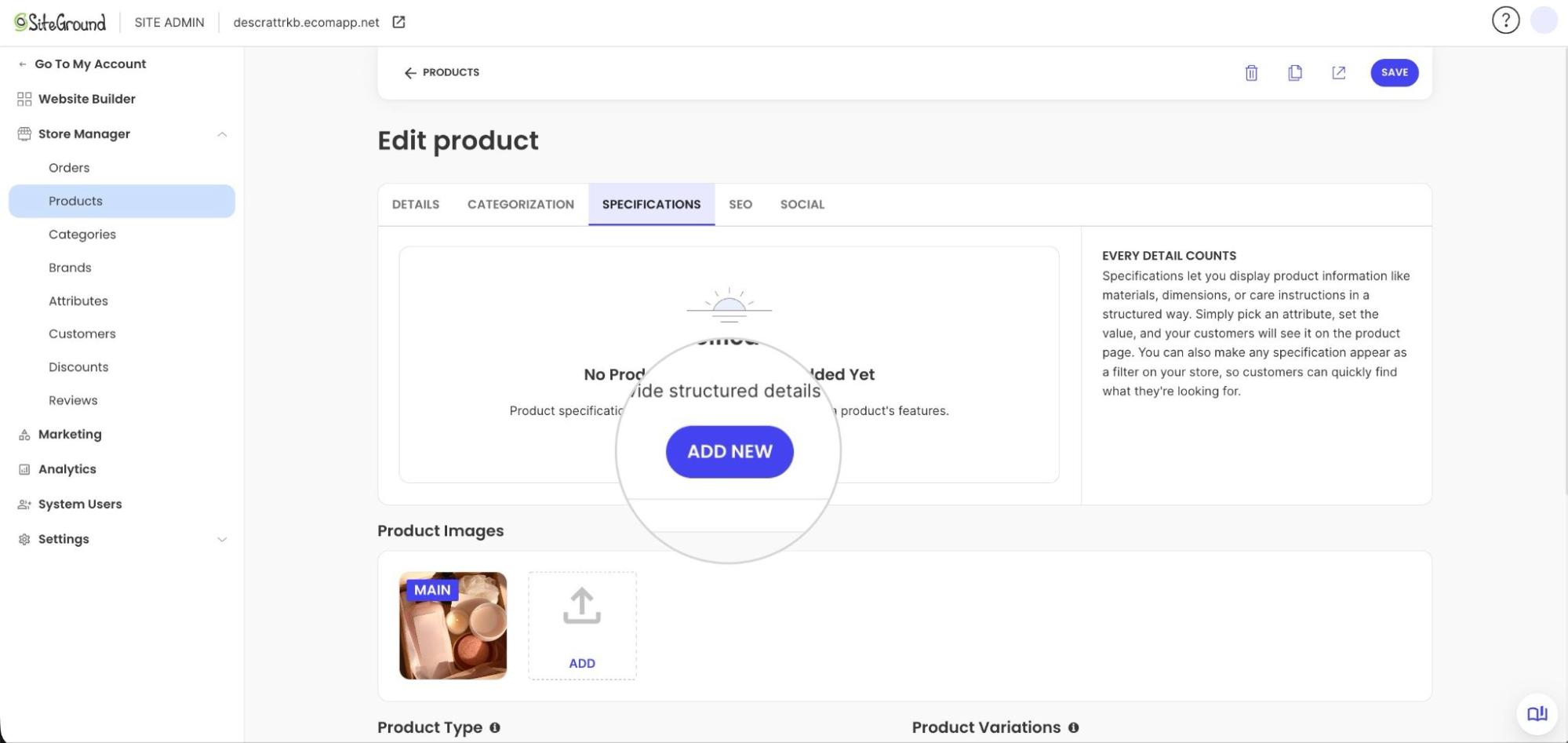
- Add specifications and values. You can add as many as needed by using existing attributes or creating new ones.
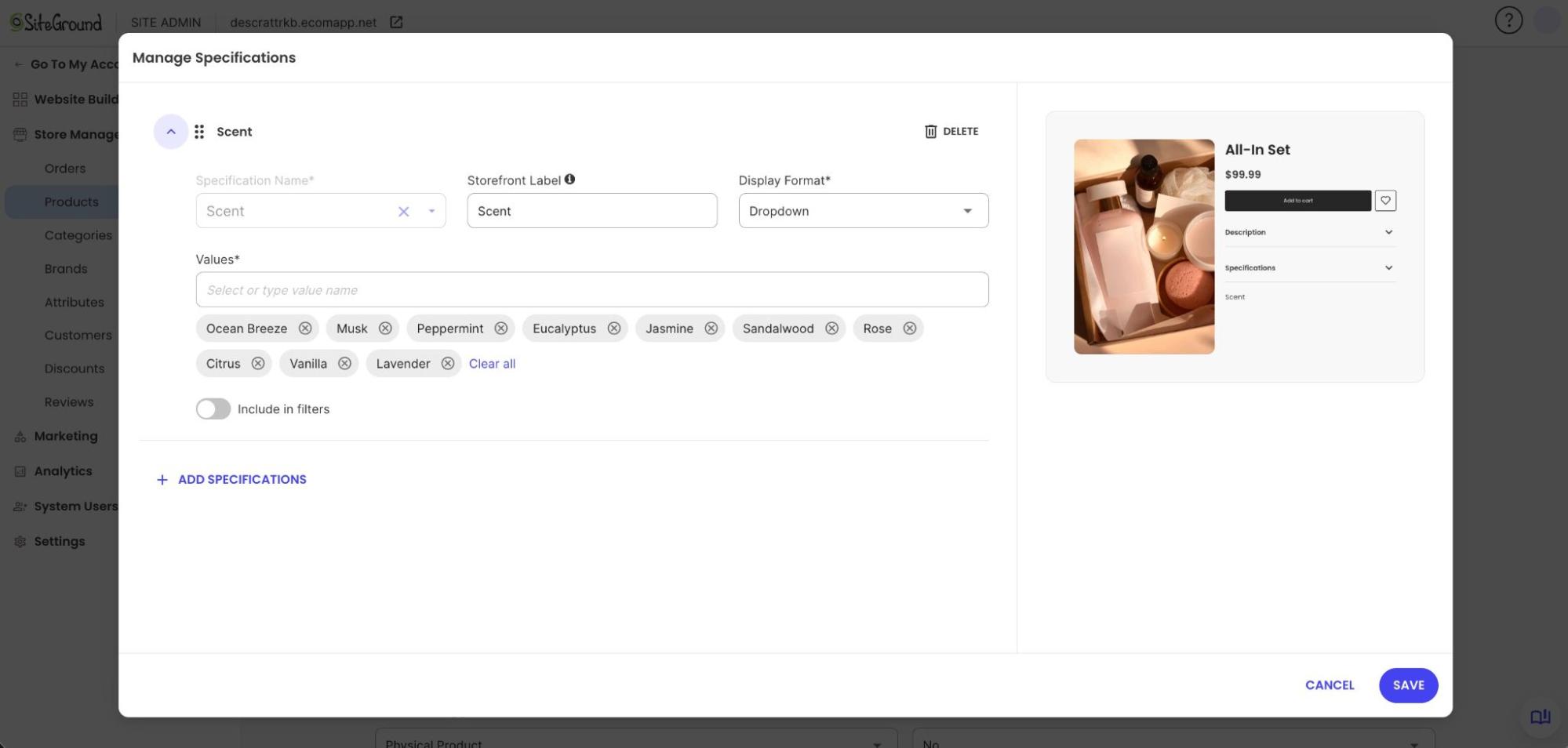
If you are creating a new attribute which you will use for specification, fill the following fields:
- Specification Name – select an existing attribute or create a new one.
- Storefront Label – define how the specification name will appear on the product page.
- Display Format – choose how the attribute will be displayed if used for product variations.
- Values – add one or more values for the specification.
- Create a filter on the store page – enable this option to make the specification available as a filter.
If a filter for the selected attribute already exists, the new values will be added to it automatically without creating duplicates.
After adding specifications, they will appear in the Specifications tab. From here, you can review, edit, or remove the product’s specifications.
How to view specifications on the storefront
Once saved, the specifications will be displayed on the product page.
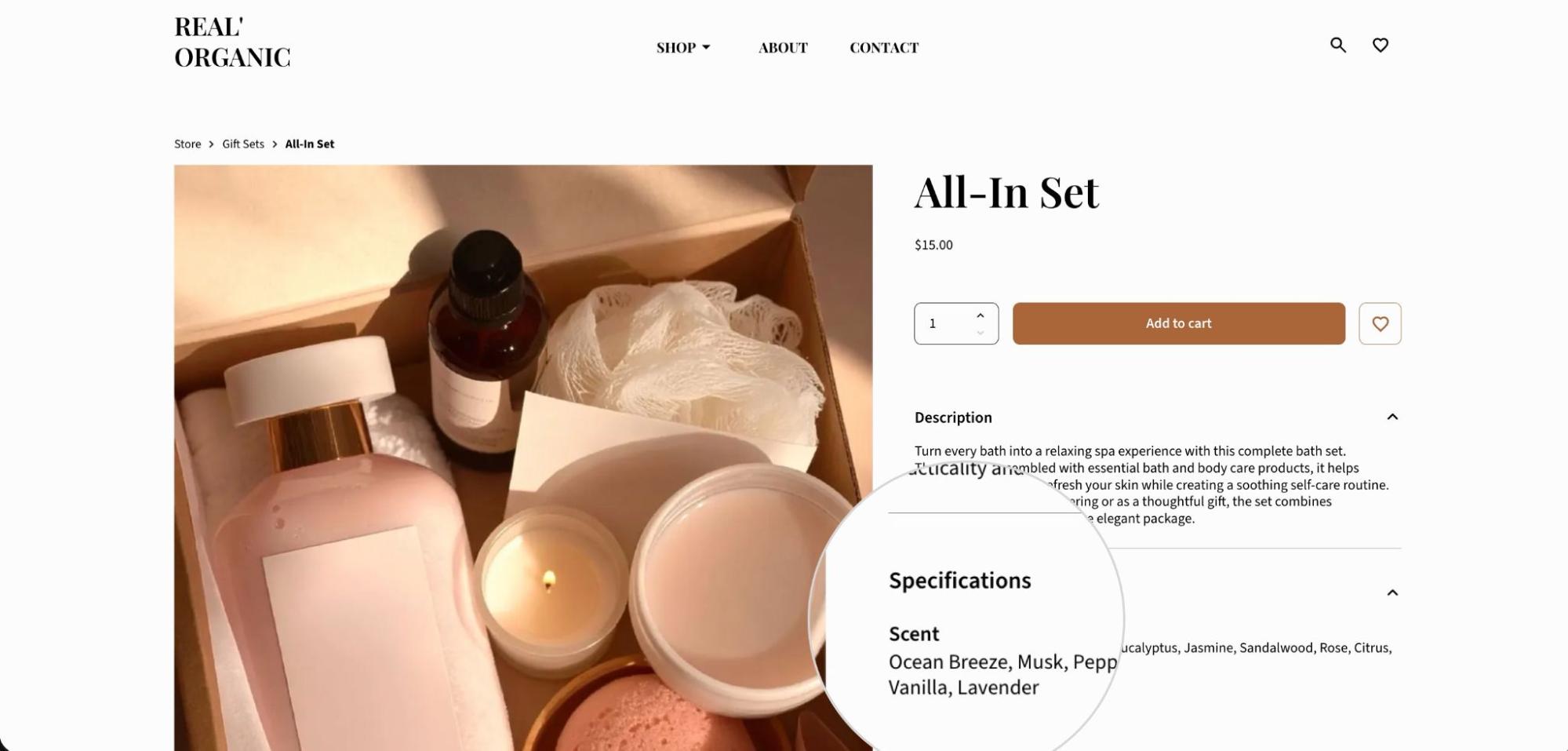
Customers can view all product details in a structured format, so they can make easier and informed purchase decisions.
