Write it, share it, sell it: SiteGround Website and Ecommerce Builder now has a built-in blog
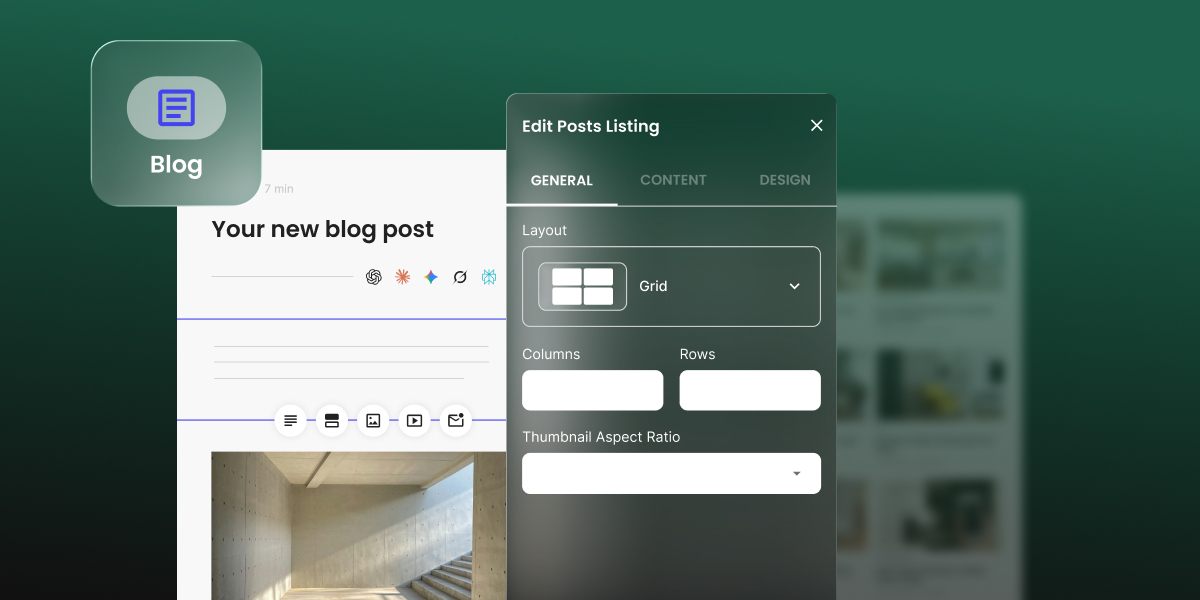
Key takeaway: SiteGround Website Builder and SiteGround Ecommerce now include a built-in blog functionality. You can add a blog page, publish posts and embed store products directly in them, with no plugins or separate platform needed.
Your SiteGround Website Builder or Ecommerce site can now have a voice. You can add a blog to it the way you’d add any other page. No new platform to learn, no plugins to install, no need to call a developer. Start publishing right inside the builder you already know.
Why add a blog? Because it gets you found.
Search engines love fresh content. So do all the AI tools that customers now ask for recommendations. Every post you publish is another chance for someone to discover your business: a question answered, a tip shared, a new product introduced.
The hard part is setting it up. It’s either a complex platform that takes real time and technical know-how to run, or a stripped-down tool that’s too limiting in terms of look and feel. With the SiteGround Website Builder blog, you finally get a blog that fits right into your site, with the flexibility you’d expect from a dedicated blogging platform and the simplicity of a page you already know how to build.
Make it look like you
You can customize every part of your main blog page. Start with a template, then make it yours. Go grid or list. Pick your colors. Show three posts or thirty. Decide whether readers see images, categories, descriptions and reading time.
Want a showstopper at the top? Add a carousel and fill it with your newest posts, a favorite category or your personal hand-picked best.
Write your own way
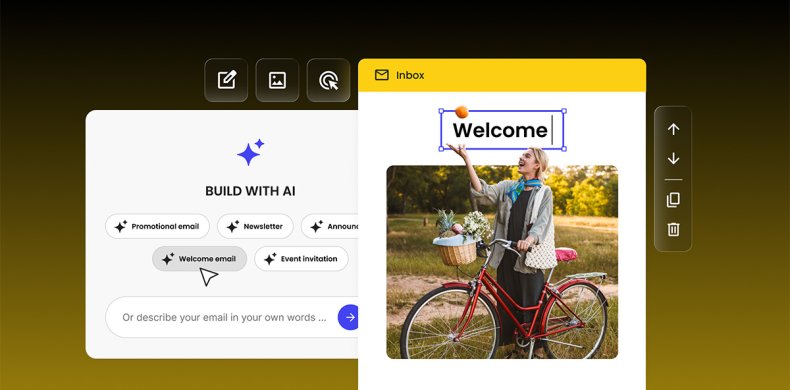
Start from a blank page, or let the built-in AI writer draft your post for you. Either way, you’re in control. Edit the AI’s draft until it sounds like you, or write every word yourself.
Then bring your post to life with the tools you already use to build your website and ecommerce store pages. Text, images with captions, video, galleries, buttons, icons, contact forms, subscription forms and products from your site or store are all there, ready to drag in and style.
Turn every post into a sale
Yes, you can sell products directly from a blog post. Blog posts aren’t only for storytelling, they can be for selling. Writing about your new summer collection? Drop the actual products right into the post. Show one, a few or a full scrolling carousel. Choose the columns, the text and whether it autorotates.
Your readers go from “ooh, nice” to “add to basket” without leaving the page. Got a big launch or a seasonal sale? Pin that post to your blog’s carousel and put it front and center.
Built to be found and shared
A post is only as good as its odds of actually being found. That’s why each post comes with its own SEO title and description that you can edit directly, so you can tell search engines exactly what each post is about. You can also set a custom title, image, and description for social media, so your posts look sharp every time someone shares them.
Your first post is waiting
Open your SiteGround Website Builder or Ecommerce site, add a blog page and hit publish. Share your story. Show off a product. Post customers’ feedback, or answer the question your customers always ask.
A blog brings readers back, brings new ones in and helps you turn them into customers.
How to add a blog to your SiteGround Website Builder or Ecommerce site:
- Open your site in SiteGround Website Builder or Ecommerce and click [Add page].
- Choose [Blog] and pick a template for your main blog page.
- Customize the layout, colors and post details.
- Create your first post and click Publish.
Frequently asked questions
Yes. SiteGround Website Builder and SiteGround Ecommerce include a built-in blog as of September, 2026.
Yes. You can embed a single product, several products or a product carousel from your SiteGround Ecommerce store directly in any post.
No. You add the blog like any other page in the builder.
This feature is part of SiteGround Website Builder and Ecommerce only. WordPress sites use WordPress’s own blogging tools.
Yes. Every post has its own editable SEO title and description, plus a separate title, image and description for social sharing.





Comments ( 0 )
Thanks! Your comment will be held for moderation and will be shortly published, if it is related to this blog article. Comments for support inquiries or issues will not be published, if you have such please report it through our official channels of communication.
Leave a comment
Thanks! Your comment will be held for moderation and will be shortly published, if it is related to this blog article. Comments for support inquiries or issues will not be published, if you have such please report it through our official channels of communication.