Visual Edit and AI image generation are now live in Coderick AI
If you’ve been building with Coderick AI, you know the drill: describe what you want, and Coderick AI builds it for you. It’s fast, it’s intuitive, and it works. But once your project starts taking shape, not every change needs a full prompt. Sometimes you just want to fix a typo, swap out an image, or adjust a button color – and you want to do it now, not through another round of back-and-forth with the AI.
That’s exactly why we built Visual Edit in Coderick AI.
Click, change, done – that’s Visual Edit

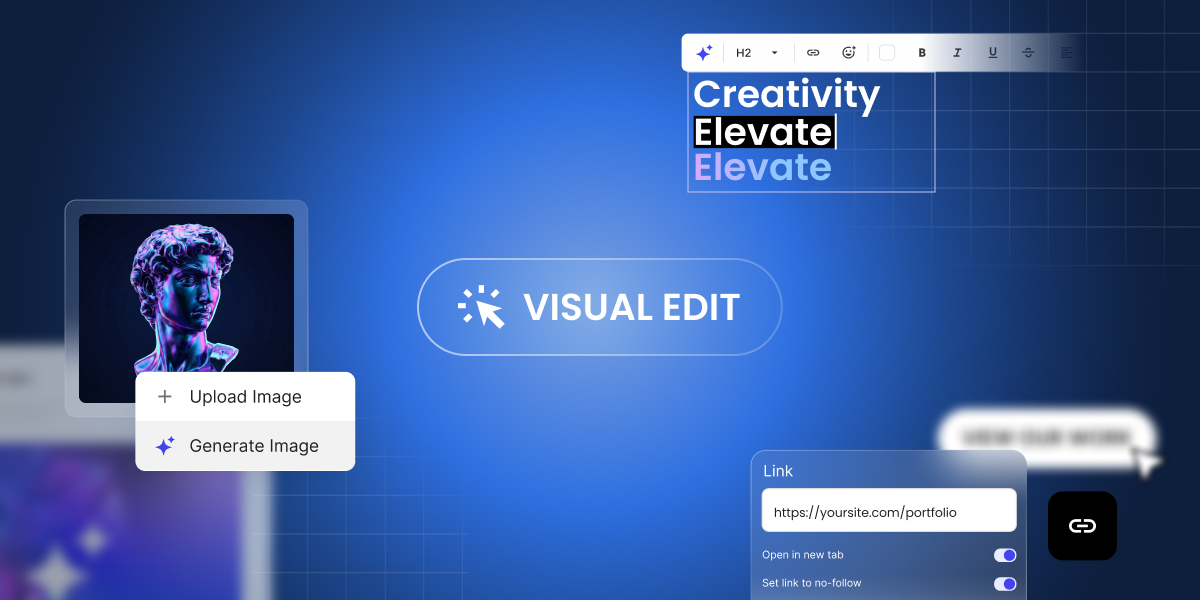
Visual Edit is a new way to make changes to your Coderick AI projects – directly in the preview, with a click. Instead of going to chat and writing a new prompt every time you want to tweak something small, you can now click on any text, button, image, link, or section and change it on the spot.
Update a headline. Fix a typo. Change a button label. Swap a link. Adjust a color. All of it happens right where you see it, with no prompt needed – and zero credits used.
It’s the kind of editing that feels obvious once you have it – and frustrating to live without once you’ve tried it.
Generate images with AI, right where you need them
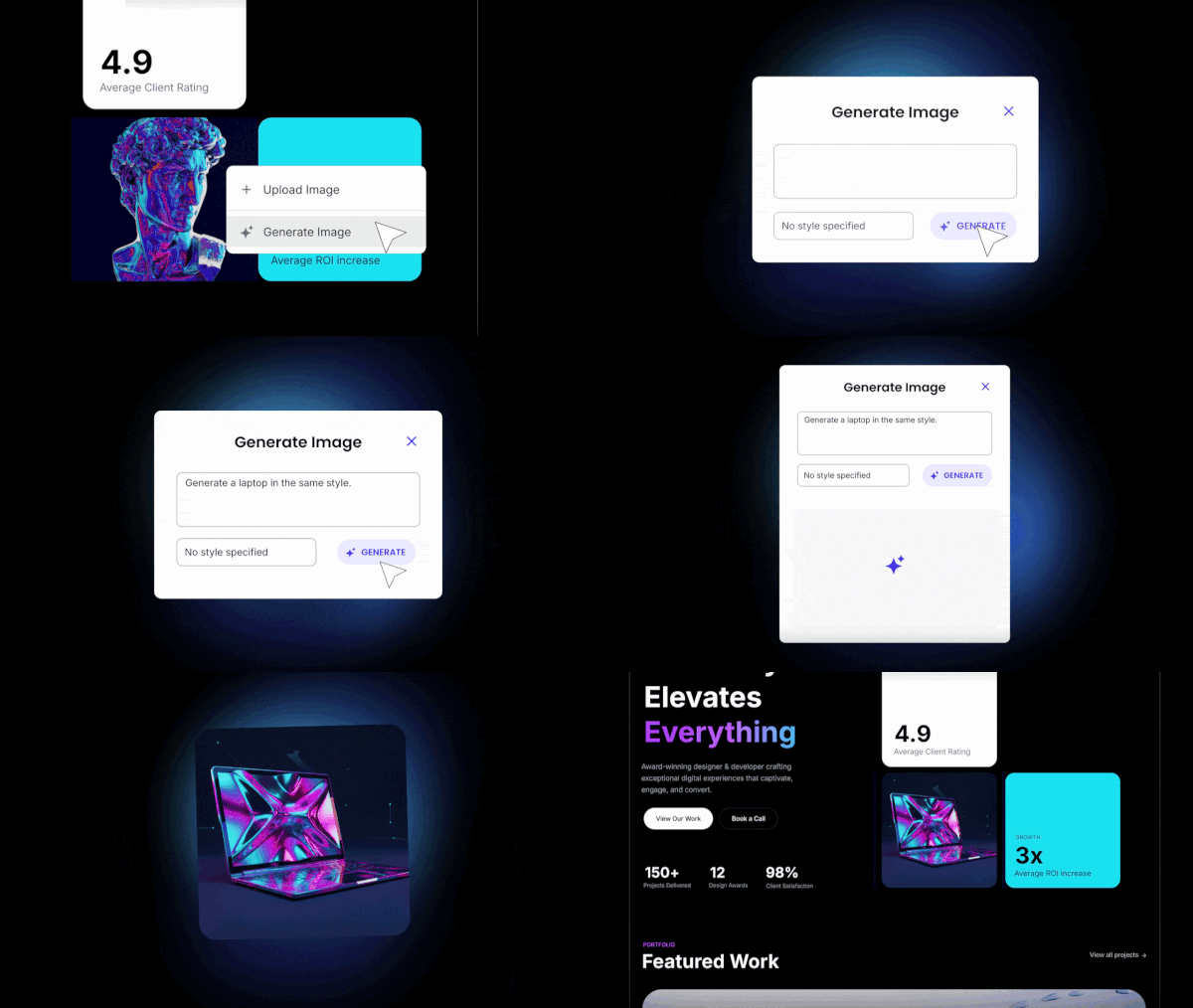
Building a project usually means you’ll need images – and until now, that meant leaving Coderick AI, finding or creating an image somewhere else, and uploading it back. With AI image generation in Coderick AI, you can now click on any image in your project, generate a new one with AI, and swap it in on the spot. Review it in context and move on – no extra tools, no context-switching, no manual uploads.
And if you already have the right image for the spot, upload and replace it directly. This action doesn’t need AI and costs you zero credits.
Transform sections or update elements at scale with focused AI edits
Some changes go beyond a quick text swap but don’t need a full project prompt either. Maybe your pricing section needs a completely different layout. Or the navigation bar of your site needs a different design direction. These aren’t small tweaks, but they’re not “build me a new page” territory either.
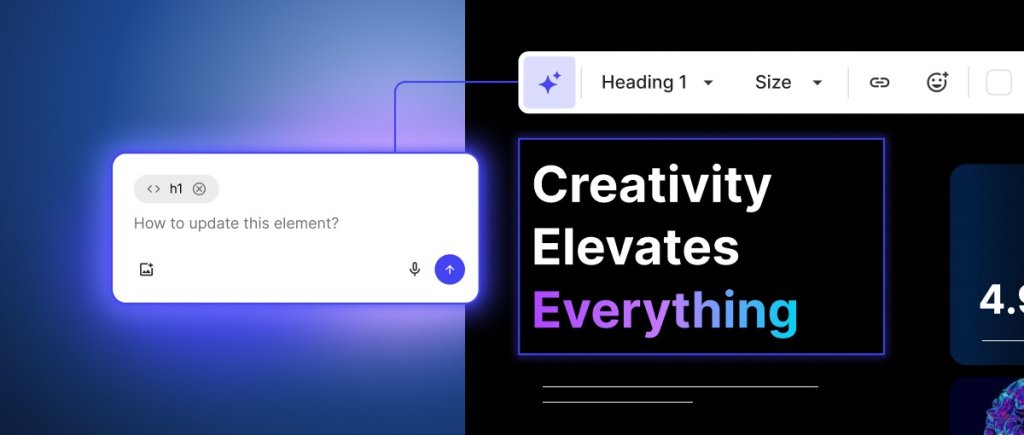
That’s what focused AI edits in the Visual Edit are for. From Visual Edit, select a section or an element, and click Edit with AI. The Coderick AI chat locks onto your selected element – describe what you want changed, and the AI reworks just that part. The rest of your project stays exactly as it is.
The difference from the main Coderick AI chat is simple: the chat is for full-project work like adding new pages or making structural changes. Focused AI edits are for when you already know what needs to change and you just need the AI to do it, precisely, in that one spot or section. Shorter prompts, no unintended side effects, better results.
Save credits for the work that matters
Not every edit needs AI, and now, not every edit costs credits. Quick edits through Visual Edit use zero credits. Your balance stays untouched for the work that actually needs AI – generating new sections, reworking layouts, or creating images. And when you do use Edit with AI, it targets only the section you select, so you get more precise results with fewer credits per edit.
Here’s how credits work:
| What you’re doing | How | Credits |
| Edit text, buttons, links, colors | Visual Edit (direct click) | Zero |
| Swap or upload your own images | Visual Edit (direct click) | Zero |
| Generate an image with AI | AI image generation | Uses credits |
| Rework a specific section | Edit with AI | Uses credits (section-level, not full project) |
| Build something new from scratch | Chat prompt | Uses credits |
How to use Visual Edit?
Getting started takes seconds:
- Open any project in Coderick AI.
- Click the Visual Edit button to switch from the chat-based builder to the visual editor (preview editing).
- Click on any element in your project preview – text, buttons, images, links – and edit it directly.
- To generate an image, click on an existing image and use the AI image generation option.
- For bigger changes, select a section and choose Edit with AI to rework it with a targeted prompt.
When you’re done, click Save to keep your changes, or Exit to discard them.
Ready to try it?
Coderick AI was built to get your vibe coding from idea to live project as fast as possible. But speed isn’t just about the first build – it’s about everything that comes after. The tweaks, the refinements, the “can you just change that one thing” moments that add up.
Visual Edit makes those moments faster and cheaper. Quick edits cost zero credits. Bigger changes are more targeted. And AI image generation means one less reason to leave your project or your workflow.
Visual Edit and AI image generation are now available in all Coderick AI projects. Open a project, switch to Visual Edit, and see how it feels to click, change, and keep building.
START BUILDING WITH CODERICK AI →





Comments ( 5 )
Roman
I wish SiteGround would focus on sharing a roadmap for critical features that CodeRick currently lacks, but which are essential for production-ready web apps. These include SSO, a Payment Gateway (even within the SiteGround eShop platform), 2FA security, push notifications, and an AI-based chatbot for customer support. Furthermore, we need 3rd-party API support, SMTP email support, and automated deployment of CodeRick apps to existing domains/websites hosted on SiteGround (preserving existing email accounts). Other necessities include automated credit chargebacks for poor code generation, ability for CodeRick to maintain multi-language sites without constant reprompting. These are far more important than AI image generation or content management, which can already be handled via the backend. The absence of these features is preventing apps from going live; currently, the tool feels more like a semi-MVP than a production-ready solution. Without a public roadmap, committed dates, frequent product updates, and a system for customer feedback, CodeRick risks falling short. Please open a feature voting system for your users and offer beta testing for new features. Show us what SiteGround is working on and give users a reason to stick around and continue using this great tool.
Georgi Chavdarov Siteground Team
We are focusing on making the tool more reliable for live apps, with frequent updates and improvements based on user input like yours. We do not have a fully public roadmap with exact dates yet (as we prefer to ship features when they’re solid rather than promise timelines), but we hear you loud and clear on wanting more transparency and a feature voting system. We will take this back to the product team. In the meantime, if you’d like to discuss your specific project needs, feel free to reach out to our team via the Help Center of the Client Area
Nidm
Looks impressive! How accurate and customizable is the AI image generation feature? Would love to try it out.
Brucex
Fix the SMPT in Coderick AI. I cannot receive email through the regular email address. The AI was able to make this possible through the Pocketbase. And active websites in Coderick AI and not listed generally with other hosted websites. Please fix the email. Same platform so this should work perfectly.
Georgi Chavdarov Siteground Team
Hi there! We have some good news! Our team reviewed the prompts and steps taken by Coderick AI, and we are happy to confirm that your website's Contact Form has been correctly configured. The SMTP functionality should now be working exactly as expected. Regarding your project list: to keep management easy, we have separated websites, collaboration projects, and Coderick projects into their own sections. You can find your AI projects under Client Area > Websites > Coderick projects tab. We are thrilled to see the AI helped you get things running with Pocketbase! If you need any further assistance as you continue building, we are always available to help via the Help Center inside the Client Area.
Thanks! Your comment will be held for moderation and will be shortly published, if it is related to this blog article. Comments for support inquiries or issues will not be published, if you have such please report it through our official channels of communication.
Leave a comment
Thanks! Your comment will be held for moderation and will be shortly published, if it is related to this blog article. Comments for support inquiries or issues will not be published, if you have such please report it through our official channels of communication.