Portfolio website builder: How to pick one and build a portfolio that gets you hired
The right portfolio website builder comes down to six things: how you start, image handling, a custom domain, mobile display, room to grow, and what the plan includes. Pick well, and you can have your work live on your own domain in a weekend. Pick badly, and you’ll be rebuilding it in a year while a client waits for the link.
Key takeaways:
- A portfolio website builder is any no-code website builder you use to publish your work on your own site, and the six features covered below separate a good one from a frustrating one.
- You can start from a template or let AI generate a first draft, and either way you should be able to switch layouts later without starting over.
- Speed depends on how the builder handles images and the hosting behind it, so look for automatic image compression and hosting known for speed.
- About 60% of web page views worldwide come from mobile devices, so a portfolio that only looks good on a laptop loses part of its audience before they see the work.
- Free plans work for testing, but a subdomain, ads, and storage limits work against a professional portfolio, so plan on a custom domain.
- After launch, promote your portfolio on social media and by email, track your metrics, and update your work based on what you learn.
What is a portfolio website builder?
A portfolio website builder is any no-code website builder you use to create a site that showcases your work, such as photos, designs, illustrations, or writing samples. It gives you layouts, galleries, and page sections you can arrange visually, plus hosting so the site goes live without any technical setup. You choose the work, and the builder handles the code.
Some builders market themselves specifically for portfolios, but any general builder works as long as it has the features covered below.
Who uses one:
- Freelancers who need a link to send prospective clients
- Job seekers in creative fields who want more than a PDF attached to an application
- Photographers, designers, illustrators, and writers who want their work in one place where they have creative control
Whichever group you’re in, your own site is worth having alongside any platform profiles.
- A portfolio platform puts your work next to thousands of other people’s, under someone else’s branding and URL.
- Your own portfolio site means your own domain, your own design, and pages that search engines can show when someone looks up your name or your specialty.
Keep your platform profiles for discovery, and use them to point people back to your site. And if your site is going to be more about you than your work, a personal website may be the better fit.
What to look for in a portfolio website builder
The best website builder for portfolio work is the one that handles these six things well: how you start building, image quality, a custom domain, mobile display, growth features, and what each plan includes. Use the “check for this” line at the end of each section as a quick test for any builder you’re comparing.
Templates or AI: two ways to get started
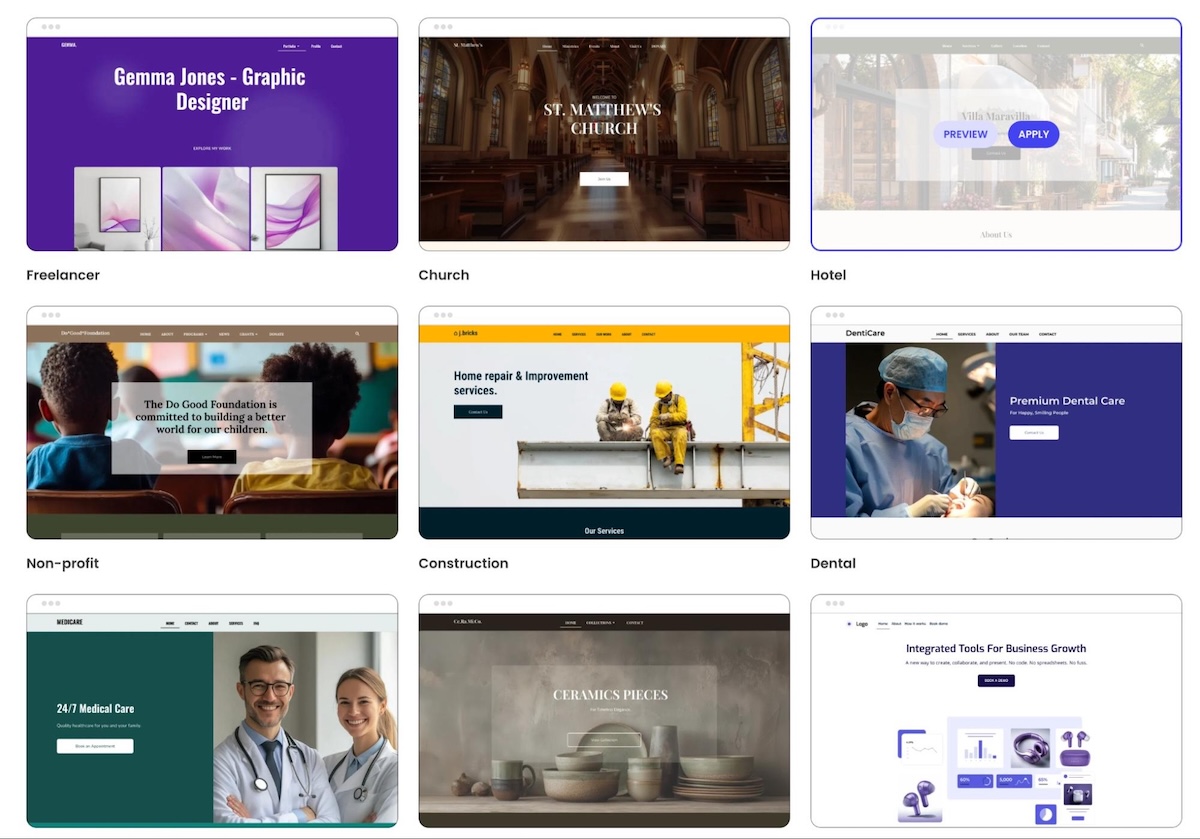
Every builder gives you a starting point, and today there are often two kinds. One way to begin is with a portfolio website template, which is a ready-made layout you fill with your own work. The other way is with AI generation, which builds a first draft of the whole site from a description of what you do.
The two paths suit different people:
- Templates work well when you already know the look you want and just need a layout that fits it. If you’re comparing a photography or artist portfolio website builder, look closely at its gallery templates.
AI generation works well when you’d rather react to a draft than stare at a blank page. An AI portfolio website builder can get you to that draft in minutes.
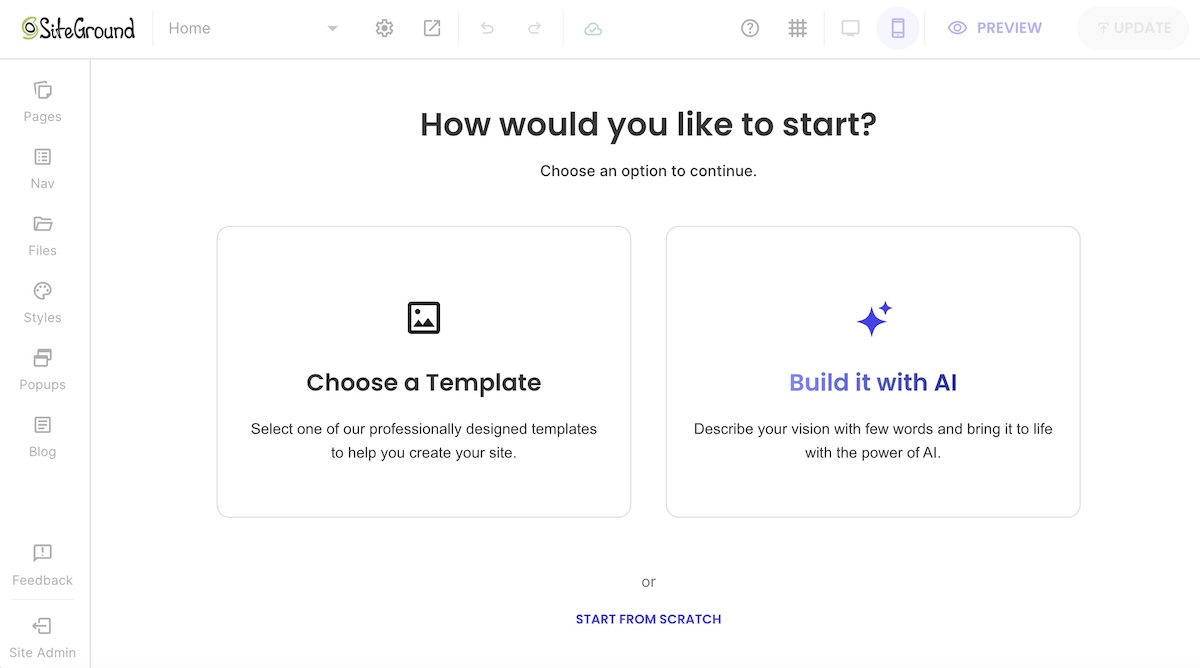
Whichever path you take, the more important feature is flexibility. Your first choice won’t be your last, so you need to be able to switch templates or rework the layout without rebuilding from scratch.
Check for this: Can you change your portfolio website template or regenerate your layout after you’ve added content?
Image quality without slow pages
If your digital portfolio is image-heavy, large image files are the most likely thing to slow it down. Speed depends on two things: how the builder handles your images and the hosting your site runs on.
- Image handling: Make sure the builder compresses images automatically when you upload them, so you don’t have to shrink every file yourself.
- Hosting: Every builder runs your site on its own servers, so pick one backed by hosting with a reputation for speed and uptime.
Speed matters beyond patience. Google measures loading speed and visual stability through its Core Web Vitals, and slow pages are harder to rank.
Check for this: Does the builder compress images automatically, and does it run on hosting known for speed?
A custom domain and a professional email
A custom domain such as janedoe.com reads as a business. A subdomain such as janedoe.someplatform.com reads as a hobby. Clients notice the difference, even if they’d never say so.
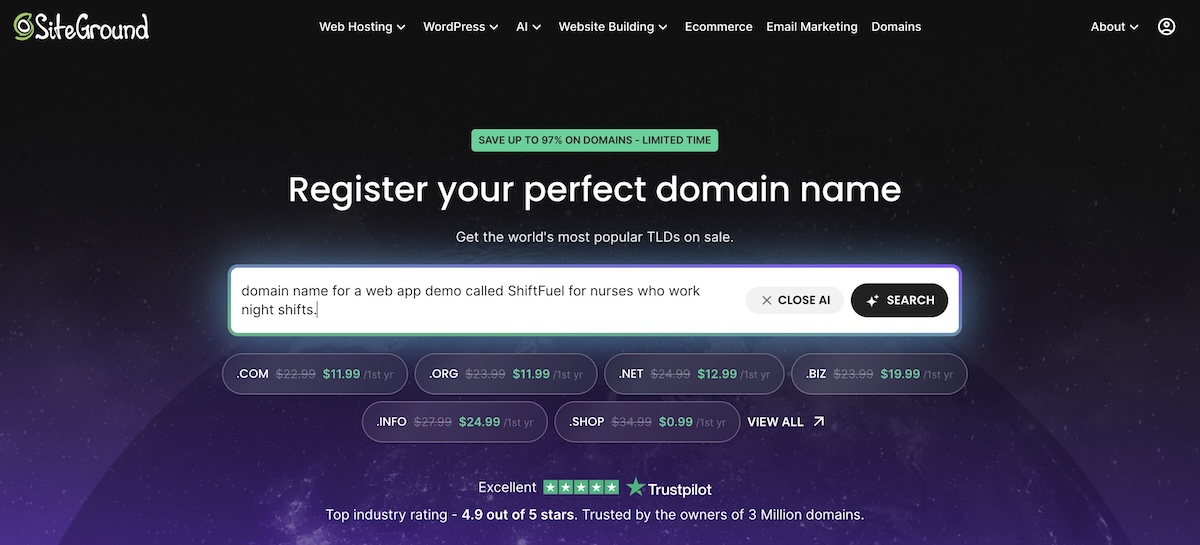
Meanwhile, a matching email address (hello@janedoe.com) carries the same credibility into your inbox. When you buy a domain name, make sure the builder lets you connect it directly and offers professional email alongside it.
Check for this: Can you connect a domain you already own, or register a new one, without moving to a different plan?
Mobile-friendly design
According to StatCounter, about 60% of web page views worldwide came from mobile devices in September 2026. Many people will see your portfolio for the first time on a phone, often from a link in a message or social post. Templates should have responsive design that adapts to phones automatically, and the editor should let you preview and adjust the mobile view.
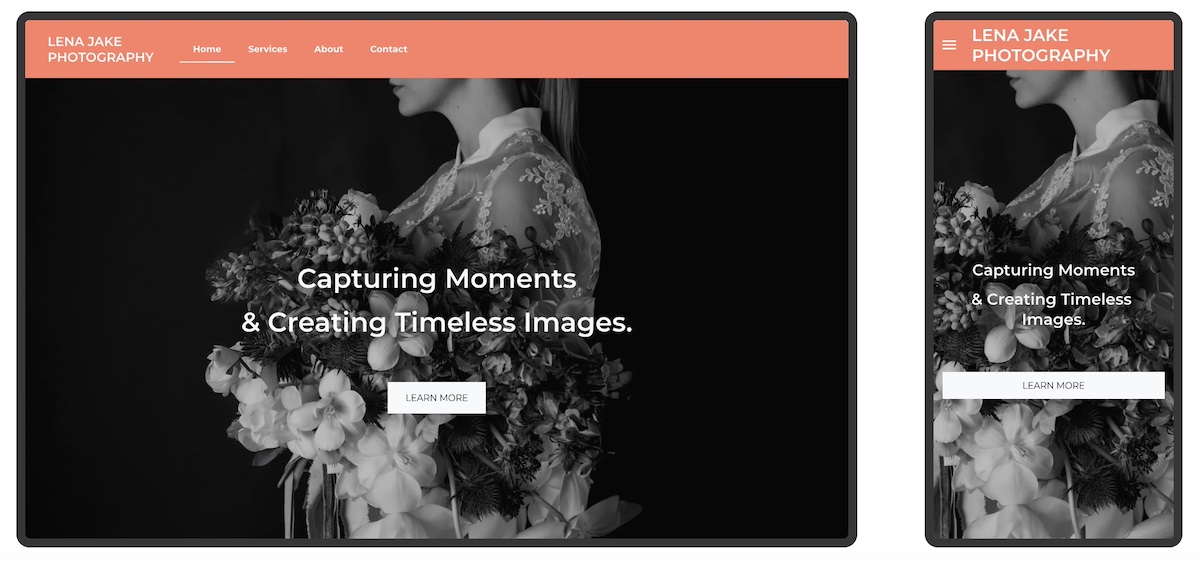
Even when a builder optimizes layouts for each screen automatically, preview every page yourself. A gallery that looks balanced on a laptop can turn into an endless scroll on a phone. Our mobile web design guide covers the details.
Check for this: Does the editor have a mobile preview, and can you change the mobile layout without changing desktop?
Room to grow
Your portfolio will probably need to do more in a year than it does today. Picking a builder with growth features now saves you from migrating later.
Features worth checking for:
- Contact forms so clients can reach you without hunting for an email address
- Testimonials sections to add client quotes as you collect them
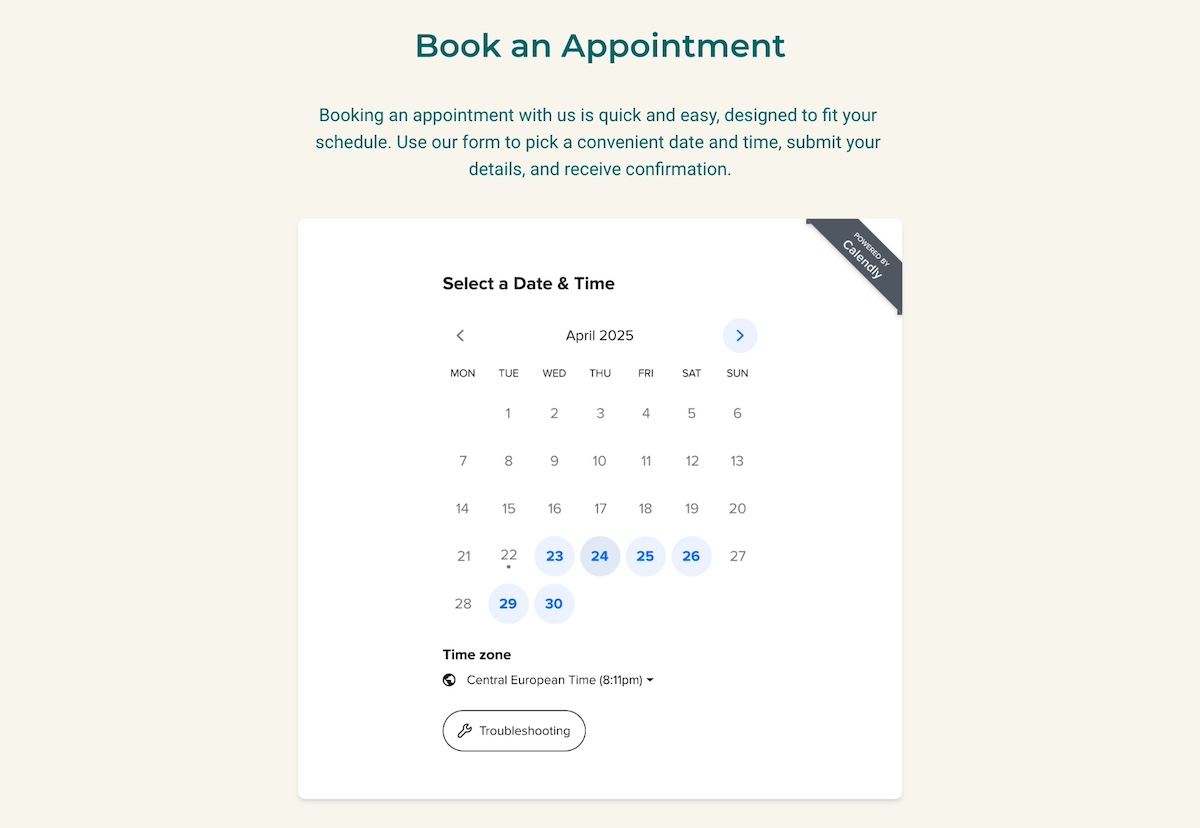
- Booking tools if you plan to offer sessions or consultations
- A blog for sharing process posts or industry commentary
- Ecommerce if you might sell prints, originals, or digital downloads
Check for this: Can you add a booking section, a testimonials block, or a store to your current plan?
Free vs. paid plans: what you actually get
A free portfolio website builder plan is fine for testing a tool, but it usually comes with limits that show to visitors.
| Feature | Typical free plan | Typical paid plan |
| Web address | Subdomain (yourname.platform.com) | Your own domain |
| Ads | Builder branding or ads on your site | No ads |
| Storage | Capped, often low for image-heavy sites | Higher limits |
| Growth features | Limited or locked | Forms, booking, ecommerce |
A free trial of a paid plan is often a better test than a free plan, because you see the full feature set. For a fuller breakdown of what goes into the cost of a website, compare plans by features first and price second.
Check for this: List what the free plan leaves out, then decide whether any of it matters for the first client who sees your site.
Where the SiteGround Website Builder fits: You can start from a template gallery or describe your site to the AI Wizard and get a full first draft, then switch layouts anytime. Layouts adapt to desktop, tablet, and mobile on their own, and Gallery, Carousel, Testimonials, and Calendly booking sections are ready to drop in.
How to build a portfolio website, step by step
If you’re wondering how to create a portfolio website, it takes eight steps: choose a builder, decide who it’s for, curate your work, plan your pages, build, add descriptions, check images and mobile, and publish. Steps 2 to 4 happen before you open the editor, and they’re the ones that make the build go fast.
Step 1: Choose your website builder and set up your domain
Use the checklist above to narrow your options, then sign up for the one that fits. If you’re still weighing several tools, our guide on how to choose a website builder walks through the decision in more detail.
Set up your domain at the same time. Either register a new one through the builder or connect one you already own. Doing it now means every link you share later points to the right address.
Step 2: Get specific about who the portfolio is for
Before you choose a single project, get clear on exactly who’ll be looking at your online portfolio and what they need to see before they contact you. A broad answer like “clients” or “employers” won’t guide those choices. Imagine: a startup founder hiring a brand designer will look for different work than an agency art director that wants to hire a freelancer.
Finish this sentence before you move on:
My portfolio is for [specific person] who needs [result], and they’ll want to see [proof] before they contact me.
| Audience | What they’re looking for | What to show |
| Small business owners hiring a freelancer | Proof you’ve delivered for businesses like theirs | Similar portfolio projects, client testimonials, an easy contact button |
| Hiring managers | Skills that match the role and how you work with a team | Relevant projects and your specific part in each |
| Galleries or publishers | A consistent body of work and a clear point of view | Series or collections, an artist statement |
If you serve two audiences, lead with the one that pays the bills and give the other its own page.
Step 3: Curate your best work
Quality over quantity: a focused set of strong projects does more for you than a page of everything you’ve made. Every weaker piece makes the ones around it look less impressive.
Run each piece through three questions:
- Does it show what your audience from Step 2 needs to see? If not, leave it out, even if you’re proud of it.
- Is it the kind of work you want more of? People hire you for what you show, so skip projects you wouldn’t want to repeat.
- Would you show it without a caveat? If you’d need to explain the tight deadline or the client’s last-minute changes, cut it.
Then put your strongest work first. Visitors may not scroll past the first few projects, so lead with the ones that best match what your audience is hiring for.
Step 4: Plan your core pages
Decide on your pages before you build, especially if you’re using AI. A clear page list becomes your prompt, and a vague one gets you a vague draft.
Most online portfolios need four pages:
- Home: Your name, what you do, and three to six of your strongest pieces
- Portfolio page: The full curated collection, grouped by type if you have more than one
- About: A short bio, a photo, and why clients hire you. These About Us page examples show what works.
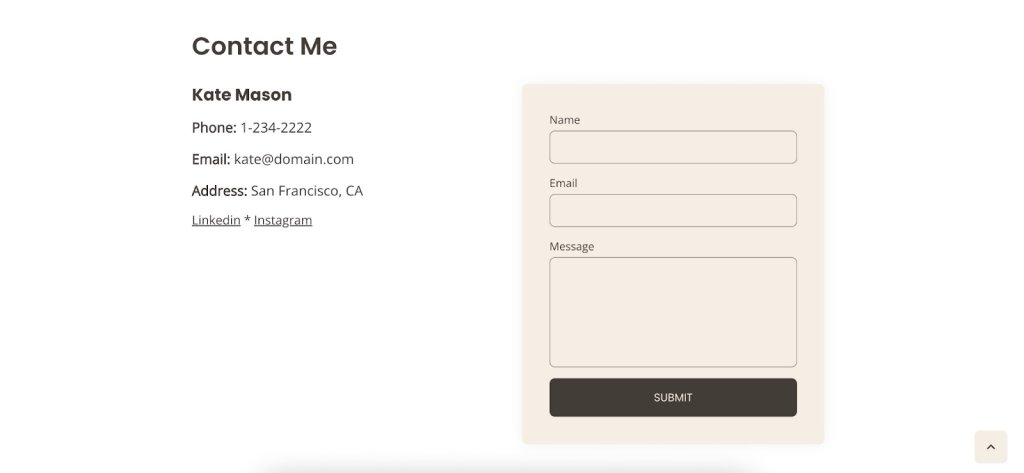
- Contact: A form, your email, and links to your active social profiles
Keep your contact page simple: one form and one email address are all a visitor needs.
Step 5: Build your site with AI or start from a template
With your page list ready, pick your path and build.
- With AI: Describe your work, your audience, and the pages from Step 4, then edit the draft. Depending on how your builder of choice works, you can either modify the website manually from there, or continue via chat.
- With a template: Choose the one that comes closest to the site you have in mind, whether that’s the branding, the overall design, the page structure, or all three. This guide to website layout types helps if you’re stuck.
Either way, you’re not locked in. Swap sections, change the layout, or try a different template once your real content is in place.
Step 6: Add titles and short descriptions to your work
A clear title and a line or two of context show a visitor that you can do the job, without leaving them to guess what they’re looking at.
For each piece, cover three things:
- What it is: the type of project, such as a logo, a product shoot, or a feature article
- Who it was for: the client, or the type of client if you can’t name them
- Your role: what you did, especially on team projects
For example: “Packaging design for a small-batch skincare brand. I led the concept, illustration, and print files.”
Use titles people might actually search for, too. “Logo design for a family bakery” tells search engines far more than “Project 04,” plus it’s just good accessible web design.
For your top two or three projects, consider going deeper with a short case study covering the problem, your process, and the result.
Step 7: Optimize images and check every page on mobile
Run through this before you publish:
- File sizes: If your builder offers automatic image optimization, you’re covered. If not, export images at the size they’ll display before uploading, rather than straight from your camera or design software.
- Alt text: Describe each image in a few words, following Google’s image SEO guidance.
- Mobile preview: Open every page on a phone and scroll through galleries end to end.
- Links: Click every button and link, including your contact form.
Step 8: Add SEO basics and publish
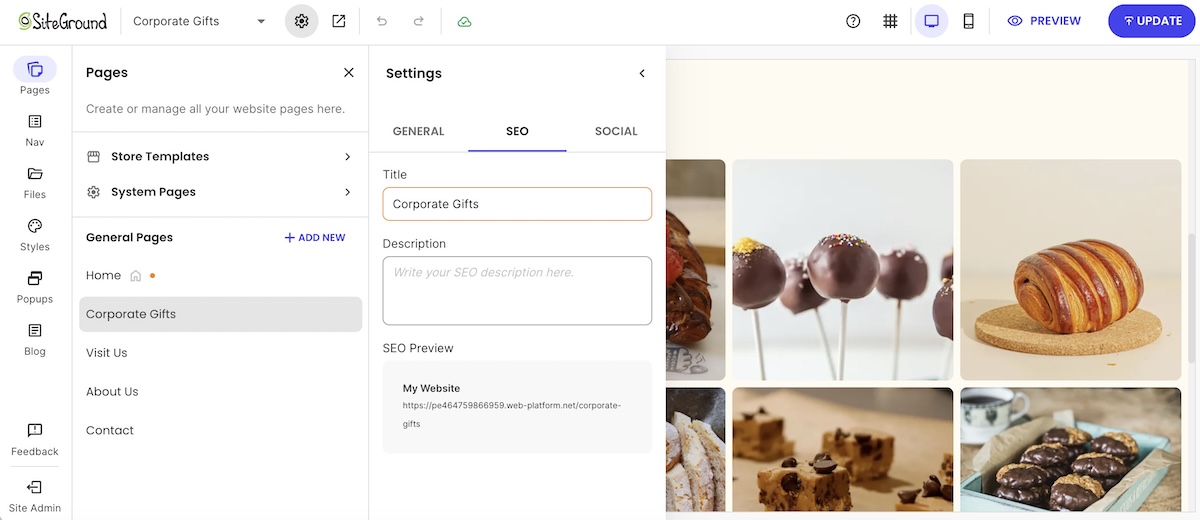
Fill in a page title and meta description for every page, using your name and your specialty (“Jane Doe, brand photographer in Madrid”).
Then publish. A quick pass through an SEO checklist catches anything you’ve missed. Publish once it’s good enough, and keep improving it after launch.
Portfolio tips for different creative fields
The steps above work for any portfolio, but each field has its own priorities. Here’s what to focus on.
Photographers
Consistency sells a photography portfolio. That is, a client booking a portrait session wants to know their photos will look like the ones on your site, so a cohesive editing style matters.
Organize galleries by the type of shoot you want to book, and put your most-booked service first. When you’re comparing a photographer website builder, look at how its gallery layouts handle a large set of images without slowing the page down.
Videographers and video creators
Video brings a problem other portfolios don’t have: file size. Host your clips on a video platform and embed them on your site so pages still load fast, and lead with a showreel of under two minutes before the full projects. That’s why choosing the best website builder for a video portfolio comes down to how well it handles embeds and playback.
Graphic designers
A graphic design portfolio gets judged twice: once for the work in it, and once for the site itself, since visitors read your layout, type, and spacing as a design sample. Keep the site restrained so the projects stay the focus. For your strongest pieces, show:
- The brief and the constraint you were working with
- How you got from early sketches to the final direction
- The finished work in real-world settings, such as packaging, signage, or a website mockup
If you don’t have client work yet, self-initiated projects count, as long as you label them honestly.
Web developers
A web developer portfolio is a work sample in itself, so how the site loads and works counts as much as what’s on it. Link to live projects and code repositories, and list the languages and frameworks you used so recruiters can match you to a role quickly. A short write-up of a tricky problem you solved tells a hiring manager more than a long list of skills.
Artists and illustrators
An artist portfolio often has two jobs: impressing galleries and selling work. Keep those audiences apart by organizing your main portfolio into series or collections with a short artist statement, and giving any prints or originals their own shop page. An artist website builder with built-in ecommerce lets you run both from one site.
Writers and authors
Nobody reads 10 full articles before hiring a writer, so a writing portfolio has to make your range easy to scan. Group samples by topic or format, and give each one a headline, the publication’s name, a one-line summary, and a link to the full piece.
Authors need a few more pages on top of that: one for each book, links to retailers, and a newsletter sign-up for launches. The best website builder for authors makes those pages as easy to add as your samples.
What to do after your portfolio goes live
Publishing is the halfway point. An online portfolio only works if people see it and the work stays current.
Promote it:
- Share new work on social media, with a link back to the project page rather than just the image. A steady social media marketing habit sends visitors to the site instead of keeping them on the feed. The SiteGround Website Builder includes footer social links, so visitors can follow you back.
- Email your existing contacts to announce the site, and consider a sign-up form so potential clients can get updates when you add new work. If you’re new to it, start with the basics of email marketing.
- Put the link where people already look: your email signature, LinkedIn, social bios, and invoices.
Maintain it:
- Stay on top of your website metrics. Check your builder’s analytics or connect Google Analytics to see how many people visit, which projects they look at, and where they come from. Add Google Search Console too if you want to see which searches bring people to your portfolio.
- Update your portfolio based on what you learn. If certain projects get the most attention, move them higher or add similar work. Swap out older pieces as stronger ones come in, and give the whole site a refresh every few months.
- Add testimonials as clients send them.
For more ideas, these free ways to promote your website work just as well for online portfolios.
Your best work deserves its own address
A good portfolio website builder gets out of your way: start from a template or AI, keep your images fast, use your own domain, look right on every screen, and leave room to grow. Then follow the eight steps, publish, and keep promoting.
If you’re ready to start, the SiteGround Website Builder makes building an online portfolio easy: start from a template or describe your site to the AI Wizard, then adjust anything with drag-and-drop blocks. Images are optimized automatically, built-in SEO tools make publishing simple, and footer social links help visitors follow you. Plus, you can try it free for 14 days with no credit card required.
Website building, made easy
Pick a template or start with AI, then customize it without touching a line of code. SiteGround Website Builder helps you go from idea to live site fast. 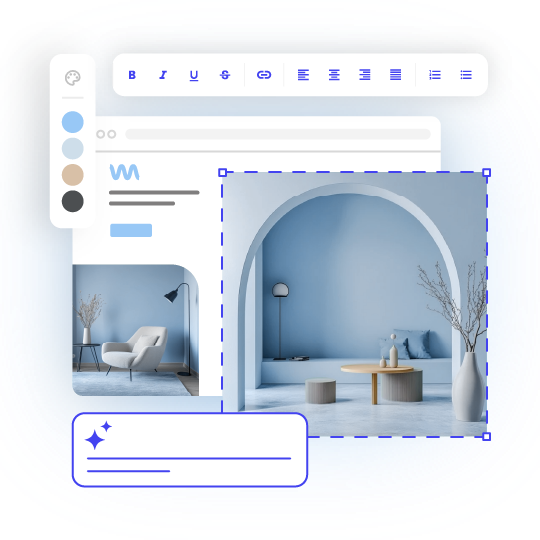
Frequently asked questions
plans usually come with a subdomain, ads, and storage limits. They’re fine for testing. For a portfolio you send to clients, a paid plan with your own domain looks more professional.
The cost to create a portfolio website comes from a few parts: a domain (usually around $10 to $20 a year for a .com), and a builder plan (from a few dollars to around $30 a month). Compare plans by features first, then price.
ChatGPT can help you make a portfolio by writing your bio and project descriptions, suggesting a page structure, and even generating code for a basic site. You’d still need hosting to put that site online, and you’d need to be comfortable editing code to update it. If you’d like to try it, here’s how to create a website with ChatGPT. For non-coders, an AI website builder gives you a similar head start without the code.
A portfolio website should have four core pages: Home, Work or Projects, About, and Contact. Add a blog, a shop, or a booking page only when you have a reason to. Step 4 above covers what goes on each page.



Comments ( 0 )
Thanks! Your comment will be held for moderation and will be shortly published, if it is related to this blog article. Comments for support inquiries or issues will not be published, if you have such please report it through our official channels of communication.
Leave a comment
Thanks! Your comment will be held for moderation and will be shortly published, if it is related to this blog article. Comments for support inquiries or issues will not be published, if you have such please report it through our official channels of communication.