How to choose a website builder for your church
-
- What to look for in a church website builder
- Church platform or website builder? Decide what the site’s job is
- Church website design for the guest deciding on Saturday night
- How to build a church website in 5 steps
- Keep it current without a weekly web project
- Ready to put your church online?
- Frequently asked questions
A church website has two jobs: helping a first-time guest decide to show up on Sunday, and keeping members connected during the week with sermons, events, and a way to give. A good church website builder lets one busy volunteer handle both before Monday lunch.
Key takeaways:
- A church website serves two audiences: first-time guests deciding whether to visit, and members staying connected during the week.
- Your own site plus a giving tool covers most churches. An all-in-one church platform mainly pays off when you need several connected tools or run more than one campus.
- Your own site costs a fraction of a full church platform: about $130 a year compared with $1,450 or more.
- Build for the guest checking their phone the night before, with service times, the address, and a “plan your visit” page up front.
- If you livestream worship, check that your music license covers streaming.
- A short Monday routine and a regular email keep the site and your members current between Sundays.
What to look for in a church website builder
Pick a church website builder your least technical volunteer can update in 15 minutes a week. With that in mind, look for five things: easy weekly editing, video embeds for sermons, a clean link to your giving tool, mobile-ready templates, and nothing to maintain behind the scenes.
Here’s what each criterion protects against, especially once the volunteer who built the site moves on:
| Criterion | What it prevents |
| Easy weekly editing | A site that stops getting updated after the person who built it gets busy |
| Video embeds | Huge sermon files slowing the site or eating storage |
| A clean link to your giving tool | Rebuilding giving inside a website that wasn’t made for recurring gifts |
| Mobile-ready templates | Guests pinching and zooming to find service times on a phone |
| Nothing to maintain behind the scenes | Plugin updates and backups falling to whoever remembers |
If you’re comparing builders in general, our guide to choosing a website builder covers templates, pricing models, and support. For a church, the five criteria above are the tiebreakers.
Church platform or website builder? Decide what the site’s job is
Church platforms and website builders overlap in one place: the website. An all-in-one church platform bundles its website with giving, member, and check-in tools, while a website builder gives you a site you link to whatever church tools you choose. Which route fits depends on the tools you already have and how many you need connected.
What all-in-one church platforms bundle
All-in-one church platforms sell a website plus the tools a church uses to run its week, under one subscription:
- Online giving: one-time and recurring gifts, plus year-end contribution statements for donors’ taxes.
- A member database: often called church management software (ChMS), it tracks who attends, which groups they’re in, volunteer schedules, and follow-up for first-time guests.
- Kids’ check-in: printed name tags with a matching pickup tag, so only the right adult can collect a child.
- A custom app: often included, for sermons, events, and giving.
The appeal is that these tools share one record per person. A guest who fills out a visit form, checks in their kids, and gives once shows up as one family in one system, instead of three entries in three tools.
Before you sign up, keep three things in mind:
- You pay for the whole bundle. As of November 2026, published pricing starts around $19 a month for a website-only plan, while a full bundle with the website, app, and church management tools runs about $120 a month and up, plus giving fees.
- Every piece is optional. Many churches use a platform’s giving or member tools and run their own website alongside them.
- The website may be limited or missing. Some church management tools don’t include one, and others offer simple pages with limited design options, sometimes on the platform’s web address instead of your church’s domain.
When your own site plus a church online giving tool is enough
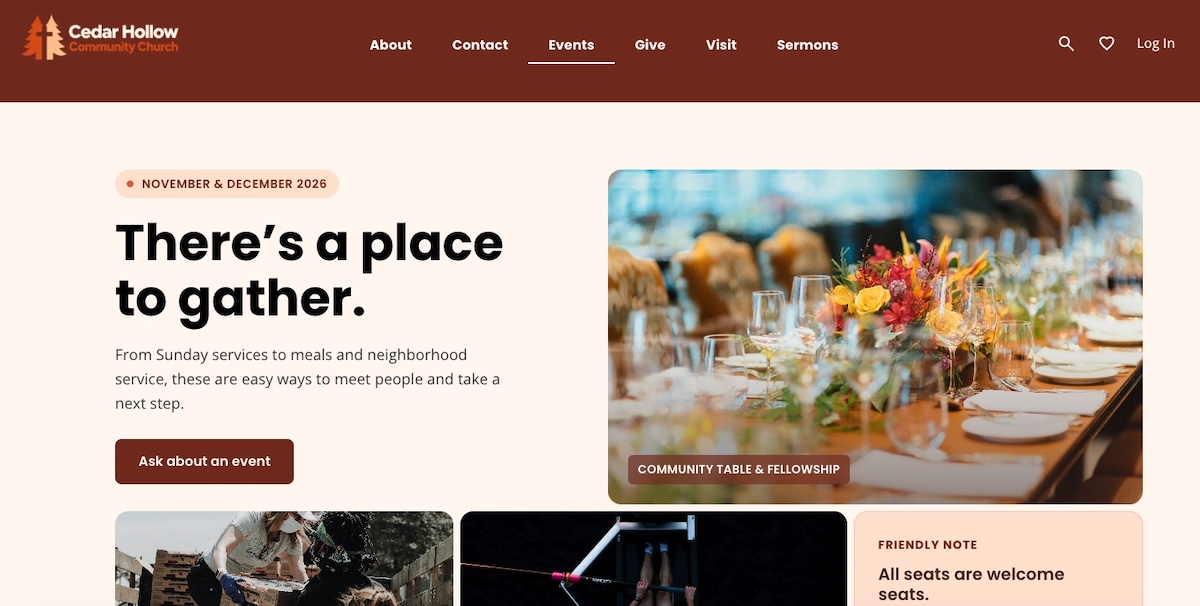
If your church already uses a giving or member tool, your own website can link to it and focus on the people visiting it. That’s where a website builder pulls ahead:
- A site that looks and feels like your church. Your colors, photos, tone, and layout come together so a first-time guest gets a feel for your church and wants to come see it in person. The next section shows how to customize and build it around that guest.
- Updates a non-technical volunteer can make. Website builders are made for editing pages, so changing service times or posting Sunday’s sermon takes minutes, with no church management system to learn first.
- Freedom to switch tools. If you change giving or member software later, you update a link instead of rebuilding your website and moving your domain.
- No paying twice. Giving tools already handle recurring tithes and year-end contribution statements, and many offer free plans that charge only processing fees. Your site just needs a Give button that points to them.
Which route fits your church
An all-in-one church platform is mainly worth its monthly fee for churches that need several connected tools at once, such as giving, a member database, and kids’ check-in, or that run several campuses on one shared member database. For everyone else, your own site plus a giving tool usually covers it.
| Factor | Your own site plus church tools | All-in-one church platform |
| Congregation size | Small to midsize | Large or growing fast |
| Tools you need | A website and online giving | Giving, a member database, check-in, and an app that share records |
| Who maintains the site | One admin or a couple of volunteers | Staff with time for a larger system |
| Number of campuses | One | Several |
| Monthly budget for software | Low | Room for $120 a month or more |
What each route costs over 12 months
Here’s a typical first year for each route. The full picture of what a website costs depends on extras, but these are the core lines for a church.
| Cost line | Your own site plus a giving tool | All-in-one church platform |
| Website and hosting | SiteGround Website Builder Build plan: $10 a month, prepaid for 12 months, renewing at the same price | About $19 a month for a website-only plan, or about $120 a month and up for a full bundle |
| Domain | About $10 to $20 a year | About $10 to $20 a year, registered separately and then connected |
| Giving software | Free plan from a standalone giving tool, with no subscription | Included in full bundles |
| Processing fees | About 2.9% plus $0.30 per card gift (3.5% for American Express), paid to your giving tool | About 2.9% plus $0.30 per card gift (3.5% for American Express), paid to the platform |
| First-year total, before giving fees | About $130 to $140 | About $240 for website-only, or about $1,450 and up for a full bundle |
Prices as of November 2026.
Processing fees get their own row because they scale with giving, not with your software choice. But, by way of example, on $10,000 a month in gifts, a 3% fee is about $300 a month whichever route you pick.
Church website design for the guest deciding on Saturday night
Church website design should start with one person: someone on their phone the night before, deciding whether to come. Even back in 2016, a Pew Research Center study found that 37% of people who had looked for a new congregation searched online for information about one they were considering, rising to 59% among adults under 30. Online first impressions have only grown since: a 2024 Grey Matter Research study found the share of evangelicals who first checked out their church through an online service had tripled since before the pandemic, to 15%.
That guest has a short list of practical questions. Each section below answers one of them.
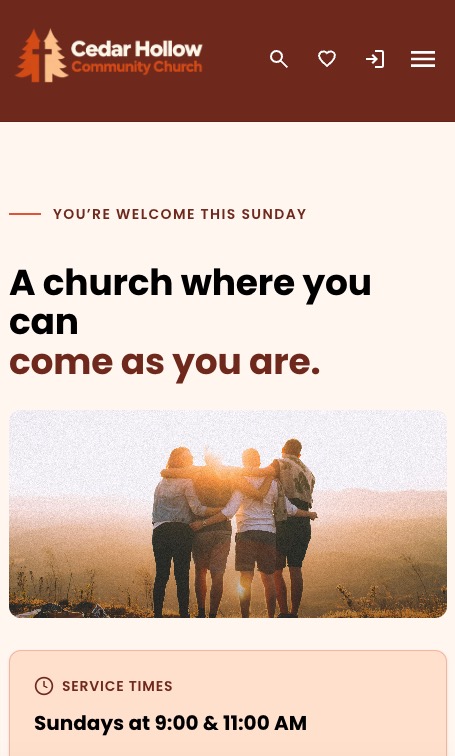
Service times, address, and parking in the first screen
Service times are one of the first things a guest looks for, so don’t make them hunt.
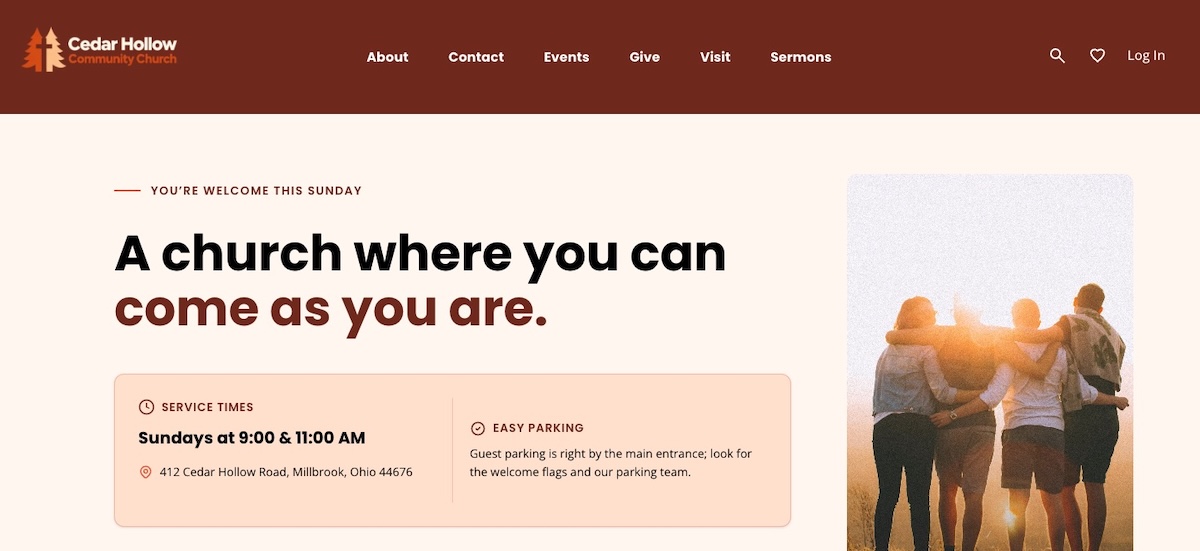
Put these in the first screen on a phone, above any photo slider:
- Service times, with a “Watch online first” link right next to them, since plenty of guests preview a livestream before they visit
- The street address, linked to a map app
- Where to park and which door to use
- A “Plan your visit” button
Use readable type and strong contrast, too. Your older members and their reading glasses will notice.
A “plan your visit” page
A “plan your visit” page answers the questions a guest is too polite to call and ask. Keep it short and friendly:
- What to wear: Say it plainly. “Jeans and sneakers are normal here” is more useful than “come as you are.”
- How long the service runs: Give a real number, such as 75 minutes.
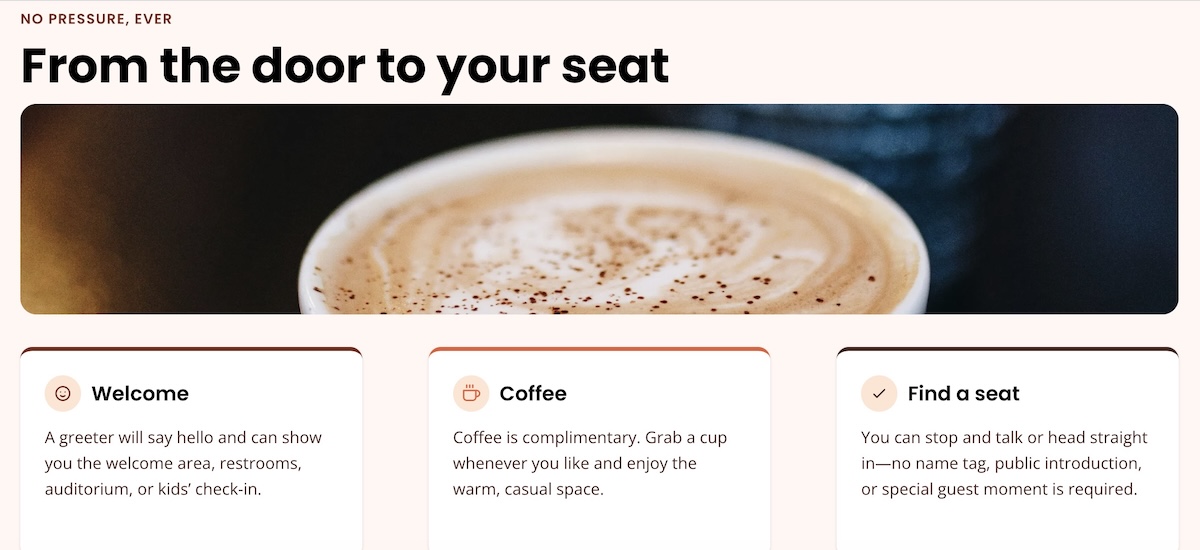
- What happens when you walk in: Mention greeters, coffee, and where to sit.
- Where kids go: Explain the age groups, how check-in works, and how the check-in system keeps children safe. Parents want this before they arrive.
Real photos of your people, with their permission
Real photos of your community build more trust than stock images of strangers laughing at coffee. But every photo needs permission first.
Get written consent from adults before posting identifiable photos. For children, get consent from a parent or guardian, and leave names out of captions and image file names. United Methodist Communications recommends the same caution, along with extra care around prayer lists.
Make your site and Google listing say the same thing
Guests often find a church through a “church near me” search before they ever reach the website. If your Google Business Profile says 10:00 and your site says 10:30, someone shows up at the wrong time.
Keep these identical in both places:
- Service times
- Address and phone number
- Holiday hours, which you can set as special hours in the profile
Choose “Church” as the business category, too. Google’s guidance says complete and accurate profiles are more likely to show up in local results, and the same principles behind local SEO for small businesses apply to congregations.
How SiteGround Website Builder fits in: Mobile-optimized templates put your service times and “Plan your visit” button where phone users see them first, built-in contact forms take visit requests, and AI text generation can draft your “plan your visit” page when you’d rather edit than start from a blank screen.
How to build a church website in 5 steps
To build a professional church website: register a domain, list your core pages and generate a draft, integrate online giving and sermons, add a privacy policy, and test it on a phone. Each step takes an afternoon or less with a builder.
These steps work in any website builder. In SiteGround Website Builder, the AI Wizard turns your page list into a first draft, mobile-friendly templates handle the layout, built-in contact forms take visit requests, and embed code drops your YouTube or podcast sermon player straight into a page.
Step 1: register a domain that matches how people search for you
Use the church’s actual name. If the name is common, add the town, such as gracechurchdayton.org. Register the domain name in the church’s name with a church email address, not a volunteer’s personal account.
Step 2: list your core pages, then generate a draft or pick a template
Decide which pages your site needs before you build anything. A typical church site needs six core pages:
- Home: service times, address, and the “plan your visit” button
- Plan your visit: what to expect on a first Sunday
- Sermons: your embedded archive
- Events: upcoming services and activities
- About: beliefs, staff, and ministries
- Contact: a form, phone number, and map
Then build from that list. Many website builders can generate a starting site with AI, or you can start from a mobile-ready template. If you use an AI tool, give it your page list along with a short description of your church, so the first draft starts close to what you need.
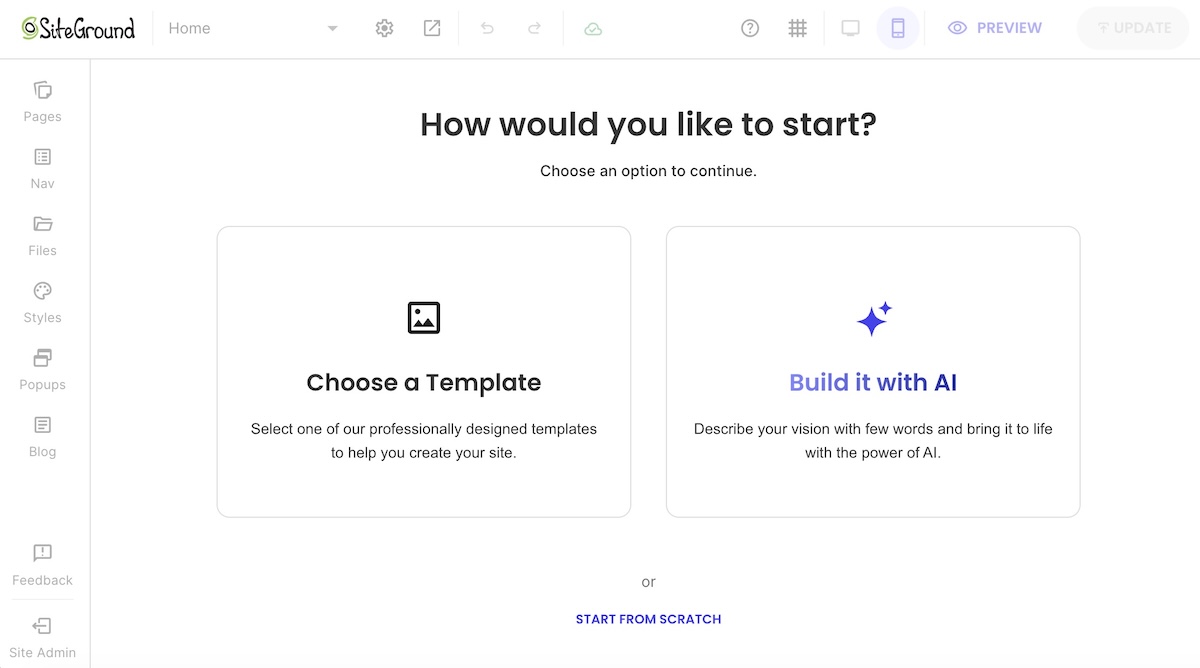
If you use a template, delete every page that isn’t on your list. Six accurate pages beat 20 pages that were last updated two Easters ago.
Step 3: connect sermons, calendar, and giving
Embed your sermon archive, add upcoming events, and link your giving tool. Put the Give link in four places:
- The header
- The footer
- The mobile menu
- Next to the sermon archive
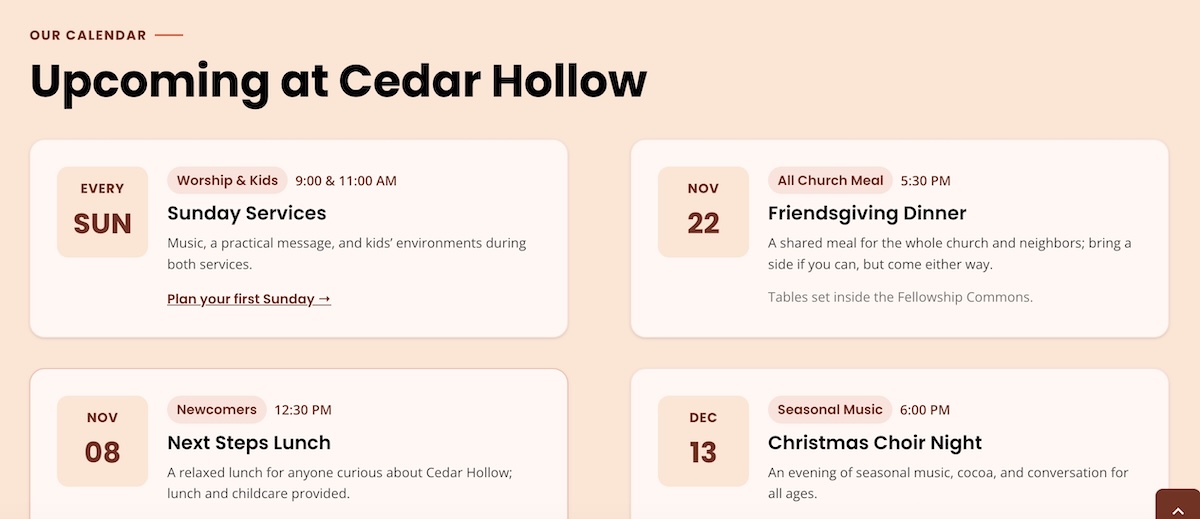
Add a contact form for questions and visit requests, so guests can ask about parking or kids’ programs without calling the office.
Step 4: add a church website privacy policy before you publish
A church website privacy policy is necessary even without an online store. Contact forms, prayer request forms, newsletter sign-ups, and event registrations all collect personal information.
Your policy should explain:
- What each form collects
- Who in the church can see it
- How long you keep it
- How people can ask for their information to be removed
Prayer requests often include health details, so never publish them without permission. This isn’t legal advice, so have an attorney review the final policy.
Step 5: test it on a phone like a first-time guest
Ask someone who has never attended to find the service time, the address, and the “plan your visit” page on their phone. Time them. Anything that takes longer than a few seconds needs to move higher up the page, and these mobile web design basics can help with the rest. Then run through a pre-launch checklist before you share the link.
Keep it current without a weekly web project
A church website goes stale faster than almost any other kind of site, because sermons, events, and announcements change every week. The fix is to make the weekly update small and predictable.
Split weekly content from permanent pages
Separate the pages that change every week from the pages that rarely change. A clear site structure means updates happen in one or two places instead of across the whole site.
| Changes weekly | Rarely changes |
| Sermons | Plan your visit |
| Events | About (beliefs, staff, and ministries) |
| Announcements on the home page | Contact |
Sermons and livestreams: embed, don’t upload
Host sermon video and audio on YouTube or a podcast host, then embed it on your site. Uploading files directly takes up storage, plays poorly on phones, and means uploading the same sermon in several places.
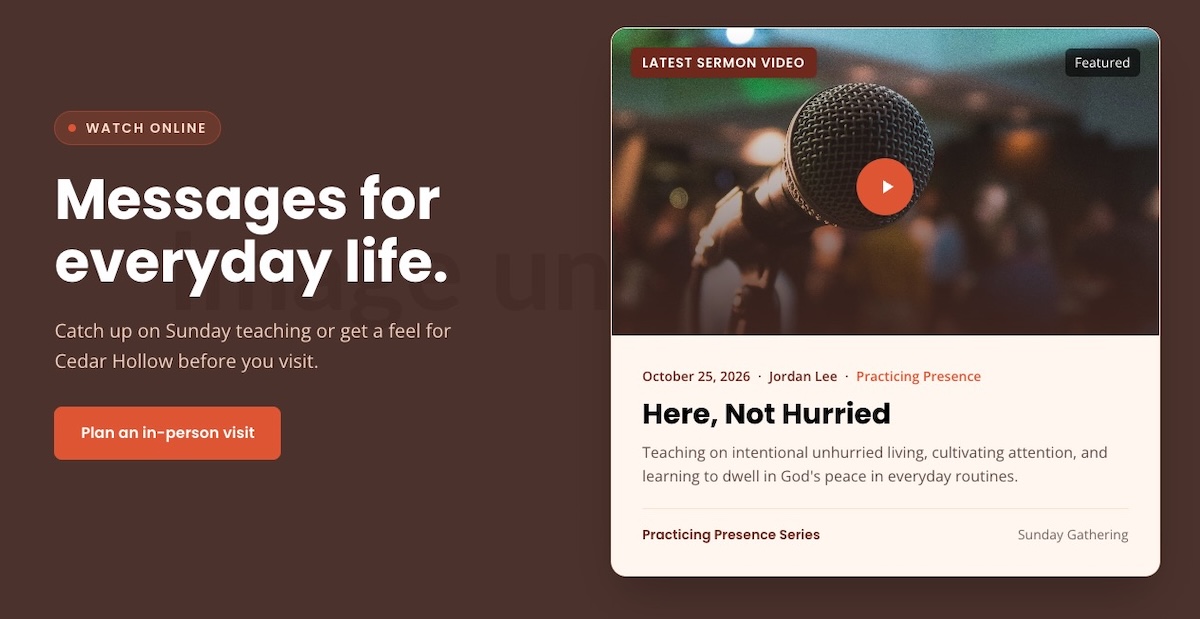
A simple sermon archive needs four details per entry: title, date, speaker, and series.
Streaming worship? Your CCLI license may not cover it
A church copyright license covers singing and projecting lyrics in person. Streaming that music online requires a separate streaming license.
CCLI’s own support documentation describes its Streaming License as a supplement to the Church Copyright License, so you need both. CCLI explains the relationship in its help center. Many Catholic and liturgical churches license music through ONE LICENSE instead, which offers its own podcast and streaming license. Keep in mind that YouTube’s and Facebook’s automated copyright systems can’t see your license, so they can still flag or mute licensed worship music. Your license is what lets you dispute the claim, and on YouTube, a Content ID claim isn’t the same as a copyright strike against your channel. This isn’t legal advice, so check your license terms or ask a copyright attorney if you’re unsure what’s covered.
Use email to stay in touch between Sundays
Your website waits for people to come to it. Email goes to them. A short weekly or monthly email keeps members and curious first-time guests connected between Sundays.
- Collect sign-ups on your site: Add a sign-up form to the home page and the “plan your visit” page, so people who aren’t ready to visit can still hear from you.
- Send the same essentials every time: Include the latest sermon, upcoming events, and any schedule changes.
- Only email people who signed up: Don’t add someone from a visit card or prayer request form without asking first.
A 15-minute Monday update routine
A short routine on the same day each week keeps the site accurate without a big effort. Here’s what it looks like in SiteGround Website Builder:
- Log in to your SiteGround account, go to Websites, click Site Admin, then click Edit Website.
- Add this week’s sermon video to the top of your Sermons page, with its title, date, and speaker.
- Update the announcements wherever they live and delete events that have already happened.
- Check service times for any upcoming holiday changes.
- Click the Give button to confirm it still goes to the right page.
- Send the week’s email with the sermon link and upcoming events.
To send it from the same place, sign up for SiteGround Email Marketing from your SiteGround account under Services > Email Marketing, then add a sign-up form to your home page (or wherever you’d like the form to live).
Keep the checklist in one shared place, such as a pinned document or the church office wiki. Then anyone on the team can run it. Register the login to a church email address and store it in the church’s password manager, so whoever runs the routine next can pick it up.
Plan for the big weeks, too. Christmas Eve and Easter service pages should go live several weeks ahead, since that’s when guests start searching. Update holiday hours on your Google Business Profile at the same time.
Ready to put your church online?
A church website has a narrow job: get guests through the door and keep the weekly details current. Let your giving and member tools handle the rest, and choose a church website builder that one volunteer can update in 15 minutes on a Monday.
SiteGround Website Builder starts at $10 a month on the Build plan, with AI site generation, mobile-ready templates, contact forms, and video embeds for your sermon archive. Start from a template or an AI draft, link your giving tool, and you can have the site live before next Sunday.
Website building, made easy
Pick a template or start with AI, then customize it without touching a line of code. SiteGround Website Builder helps you go from idea to live site fast. 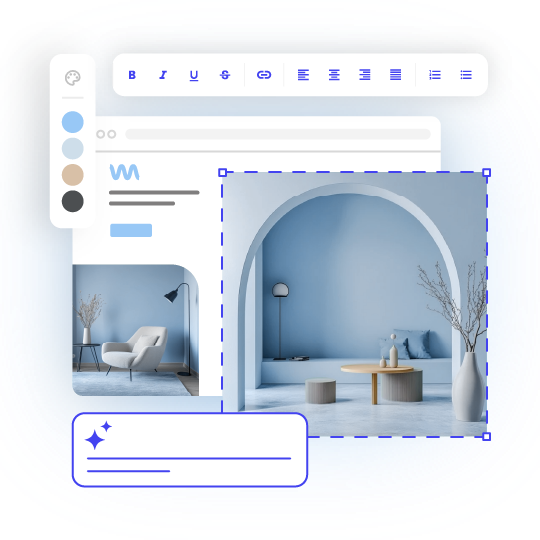
Frequently asked questions
Look for a church website builder your volunteers can update weekly, with video embeds for sermons, a clean link to your giving tool, mobile-ready templates, and no plugins or updates to maintain. If you already use giving software, a general builder that meets those criteria is usually enough, and the platform-versus-builder section above can help you decide. SiteGround Website Builder covers all five and is easy enough for any volunteer to run, with an AI Wizard to build your first draft.
Building a church website on SiteGround Website Builder’s Build plan costs $120 a year, plus about $10 to $20 for a domain. A full all-in-one church platform runs about $1,450 a year and up, including the domain. Giving fees of about 2.9% plus $0.30 per card gift apply on either route, as the cost table above shows.
Yes, but a free church website builder usually comes with trade-offs. Expect a subdomain URL printed on your bulletins and signage, platform ads next to your sermons, and limits on pages, storage, or features like contact forms.
WordPress is good for church websites if someone on your team is comfortable maintaining plugins and updates. For a one-person weekly routine, a builder is simpler, and our comparison of website builder vs WordPress covers the trade-offs in detail.





Comments ( 0 )
Thanks! Your comment will be held for moderation and will be shortly published, if it is related to this blog article. Comments for support inquiries or issues will not be published, if you have such please report it through our official channels of communication.
Leave a comment
Thanks! Your comment will be held for moderation and will be shortly published, if it is related to this blog article. Comments for support inquiries or issues will not be published, if you have such please report it through our official channels of communication.